Windows 10 (32-bit)
Windows 10 (64-bit)
Windows 8.1 (32-bit)
Windows 8.1 (64-bit)
Windows 8 (32-bit)
Windows 8 (64-bit)
Windows 7 (32-bit)
Windows 7 (64-bit)
Windows Vista (32-bit)
Windows Vista (64-bit)
Windows XP (32-bit)
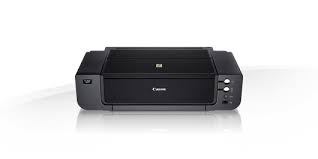
Canon PIXMA Pro9500 Mark II Photo Printer Driver 10-8.1-8-7-Vista (32bit-64bit)
Pro9500 Mark II series Printer Driver-Pro9500 Mark II series XPS Printer Driver (Windows)
It is said that beauty is in the eye of the beholder. The same can be said for works of art. When you take a photograph, you are capturing your artistic ideas through imagery. The time has come for you as a photographer to invigorate & expand your artistic spirit through printing. The best way to reach these extraordinary heights is to print, exhibit & preserve your works of art up to 13″ x 19″ with the Pixma Pro9500 Mark II Inkjet Photo Printer.
Canon PIXMA Pro9500 Mark II Driver for Windows
Compatibility Systems: Windows 10 (32bit), 10 (64bit), Windows 8.1 (32bit), 8.1 (64bit), Windows 8 (32bit), 8 (64bit), Windows 7 (32bit), 7 (64bit), Vista (32bit), Vista (64bit)
Canon PIXMA Pro9500 Mark II Driver Description for Windows
Pro9500 Mark II series Printer Driver: This file is a printer driver for Canon IJ printers.
Pro9500 Mark II series XPS Printer Driver: This file is a printer driver for Canon IJ printers. XPS printer drivers support 16-bpc printing, which enables more smooth gradation printing than the current drivers (8-bpc printing).
Download / Installation Procedures
Click the link, select [ Save ], specify “Save As”, then click [ Save ] to download the file. Memo : If you select [ Run ] ( or [ Open ] ) instead of [ Save ], the file will be automatically installed after it is saved.
The downloaded file will be saved in the specified place in the self-extracting form ( .exe format ).
Double-click the downloaded EXE file to decompress it, then installation will start automatically.
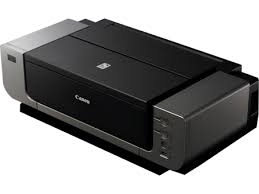
Canon PIXMA Pro9000 Mark II Printer Drivers Download for Windows 10, 8.1, 8, 7 (32bit-64bit)
Pro9000 Mark II series Printer Driver, Pro9000 Mark II series XPS Printer Driver
The ChromaLife100 system combines the benefits of genuine Canon dye-based ink and photo paper with FINE print head technology to produce long-lasting, beautiful prints with a wide color gamut for vivid coloration & high glossiness. The PIXMA Pro9000 Mark II takes your photo printing to all-new professional levels.
Canon PIXMA Pro9000 Mark II Printer Driver for Windows
Compatibility Systems: Windows 10 (32bit), 10 (64bit), Windows 8.1 (32bit), 8.1 (64bit), Windows 8 (32bit), 8 (64bit), Windows 7 (32bit), 7 (64bit)
Pro9000 Mark II series Printer Driver: This file is a printer driver for Canon IJ printers.
Download / Installation Procedures
Click the link, select [ Save ], specify “Save As”, then click [ Save ] to download the file. Memo : If you select [ Run ] ( or [ Open ] ) instead of [ Save ], the file will be automatically installed after it is saved.
The downloaded file will be saved in the specified place in the self-extracting form ( .exe format ).
Double-click the downloaded EXE file to decompress it, then installation will start automatically.
Uninstall Procedures
If needed, you can uninstall this program using the Control Panel.
Note : The steps below are for Windows 7. This procedure may be different for other OSes.
On the Start menu, click Control Panel, and then, under Programs click Uninstall a Program.
A page will open with a list of installed programs. Double click on the program that you want to uninstall.
Click “Yes” then “OK”, this will complete the uninstallation process.
Pro9000 Mark II series XPS Printer Driver: This file is a printer driver for Canon IJ printers. XPS printer drivers support 16-bpc printing, which enables more smooth gradation printing than the current drivers (8-bpc printing).
Download / Installation Procedures
Click the link, select [ Save ], specify “Save As”, then click [ Save ] to download the file. Memo : If you select [ Run ] ( or [ Open ] ) instead of [ Save ], the file will be automatically installed after it is saved.
The downloaded file will be saved in the specified place in the self-extracting form ( .exe format ).
Double-click the downloaded EXE file to decompress it, then installation will start automatically.