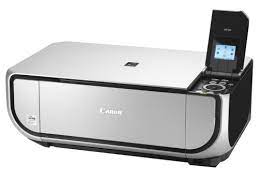
Download Canon Pixma MP520 Printer Driver for MAC OS X 10.5/10.6/10.7/10.8
MP520 series CUPS Printer Driver for Mac
Printer Canon Pixma MP520
Canon Pixma MP520 Driver for MAC
Version. 10.67.2.0a Release date: 1 Sep, 2017 File name: mcpd-mac-mp520-10_67_2-ea11.dmg Operating systems: OS X 10.8 (Mountain Lion)- Mac OS X 10.7 (Lion)- Mac OS X 10.6 (Snow Leopard)- Mac OS X 10.5 (Leopard) Download Size: 10.1 MB
Download Canon PIXMA MP140 Driver for MAC OS X 10.7/10.8/10.9
MP140 series CUPS Printer Driver
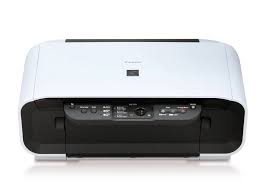
Printer Canon PIXMA MP140
Canon PIXMA MP140 Driver for MAC
Version: 10.84.2.0a File name: mcpd-mac-mp140-10_84_2_0-ea13.dmg Release date: 1 September, 2017 Operating Systems: OS X 10.9 (Mavericks)- OS X 10.8 (Mountain Lion)- Mac OS X 10.7 (Lion) Download Size: 13.01MB
Canon PIXMA MP140 Driver for Windows
Version: 1.06 Released: Feb 4, 2014 Name: mp140swin64106ea24.exe Operating systems: Windows 8.1 (64-bit)- Windows 8 (64-bit)- Windows 7 (64-bit)- Vista (64-bit) Download Size: 21.98 MB
Canon PIXMA MP493 Printer Driver Download for Windows 10-8.1-8-7 32bit-64bit
MP490 series MP Driver for Microsoft Windows
Printer Canon PIXMA MP493
The device has copy and scan features. It supports A4 paper size. It also has a maximum resolution of 4,800 (W) x 1,200 (H) dpi.
Driver Canon PIXMA MP493 for Windows
Compatibility Systems: Windows 11, Windows 10 (32bit), 10 (64bit), Windows 8.1 (32bit), 8.1 (64bit), Windows 8 (32bit), 8 (64bit), Windows 7 (32bit), 7 (64bit), Vista (32bit), Vista (64bit),XP, WinXP (64bit)
MP490 series MP Driver: This file is a driver for Canon IJ multifunction printers.
Download / Installation Procedures
Click the link, select [ Save ], specify “Save As”, then click [ Save ] to download the file. Memo : If you select [ Run ] ( or [ Open ] ) instead of [ Save ], the file will be automatically installed after it is saved.
The downloaded file will be saved in the specified place in the self-extracting form ( .exe format ).
Double-click the downloaded EXE file to decompress it, then installation will start automatically.