Compatibility Systems: Windows 11, Windows 10 (32bit), 10 (64bit), Windows 8.1 (32bit), 8.1 (64bit), Windows 8 (32bit), 8 (64bit), Windows 7 (32bit), 7 (64bit), Vista (32bit), Vista (64bit),XP, WinXP (64bit)
Driver Name
Version
Release date
File Size
Operating systems
Download Link
Pixma MP280 Series MP Driver
1.04
15 Oct, 21
22.59 MB
Windows 11 – Windows10-10×64 – Windows 8.1-8.1×64 – Windows 8-8×64 – Windows 7-7×64 – Vista- Vistax64
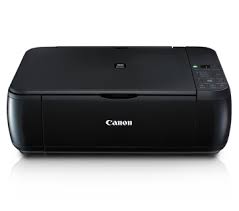
Canon PIXMA MP287 Driver Description for Microsoft Windows
Download / Installation Procedures
Click the link, select [ Save ], specify “Save As”, then click [ Save ] to download the file. Memo : If you select [ Run ] ( or [ Open ] ) instead of [ Save ], the file will be automatically installed after it is saved.
The downloaded file will be saved in the specified place in the self-extracting form ( .exe format ).
Double-click the downloaded EXE file to decompress it, then installation will start automatically.
Canon PIXMA MP287 Printer Driver for MAC
Driver Name
Version
Release date
File Size
Operating systems
Download Link
MP280 series CUPS Printer Driver
16.40.1.0a
27 Oct, 21
14.18 MB
macOS 12, 11, 10.15, 10.14, 10.13, v10.12.1, OS X v10.11, v10.10, OS X v10.9, OS X v10.8.5, OS X v10.7
Download Canon PIXMA MP980 Wireless All-in-One Photo Printer Driver for Windows 8.1-8-7-Vista (64bit) and Driver for Mac (macOS X v10.9, OS X v10.8, OS X v10.7.5)
MP980 series MP Driver-MP980 series XPS Printer Driver-MP980 series Mini Master Setup for Microsoft Windows and MP980 series CUPS Printer Driver-MP980 series Scanner Driver-ICA Driver for MAC
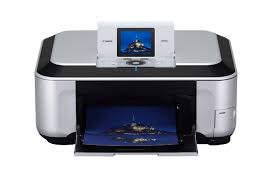
Canon PIXMA MP980 Printer
Canon PIXMA MP980 Printer Driver for Windows
Compatibility Systems: Windows 8.1 (64bit), Windows 8 (64bit), Windows 7 (64bit), Vista (64bit)
MP980 series MP Driver: This product is a driver for Canon IJ multifunction printers.
PixmaMP980 series XPS Printer Driver: This product is a printer driver for Canon IJ printers.
MP980 series Mini Master Setup: This file contains the Setup application, MP Drivers and IJ Network Tool necessary for setting your printer up on a network.
Download / Installation Procedures
Click the link, select [ Save ], specify “Save As”, then click [ Save ] to download the file. Memo : If you select [ Run ] ( or [ Open ] ) instead of [ Save ], the file will be automatically installed after it is saved.
The downloaded file will be saved in the specified place in the self-extracting form ( .exe format ).
Double-click the downloaded EXE file to decompress it, then installation will start automatically.
Canon PIXMA MP980 Printer Driver for MAC
Operating Systems: MacOS X Mavericks v10.9, OS X Mountain Lion v10.8.5, OS X Lion v10.7.5, OS X Snow Leopard v10.6.8, OS X Leopard v10.5.8