Canon PIXMA iP4940 Driver

Download Canon PIXMA iP4940 Printers Driver for Windows 10, 8.1, 8, 7 (32Bit-64Bit)

iP4900 series Printer Driver
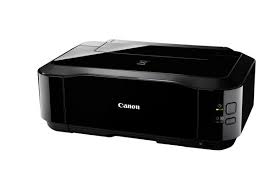
Printer Canon PIXMA iP4940

Canon PIXMA iP4940 Driver for Windows

This file is a printer driver for Canon IJ printers.

Version: 2.56
File name: pd68-win-ip4900-2_56-ea24.exe
Release date: 22 July, 2015

Download

Compatibility Systems: Windows 10 (32-bit), Windows 10 (64-bit), Windows 8.1 (32-bit), Windows 8.1 (64-bit), Windows 8 (32-bit), Windows 8 (64-bit), Windows 7 (32-bit), Windows 7 (64-bit), Windows Vista (32-bit), Windows Vista (64-bit), Windows XP (32-bit)

Download / Installation Procedures

  1. Click the link, select [ Save ], specify “Save As”, then click [ Save ] to download the file.
    Memo :
    If you select [ Run ] ( or [ Open ] ) instead of [ Save ], the file will be automatically installed after it is saved.
  2. The downloaded file will be saved in the specified place in the self-extracting form ( .exe format ).
  3. Double-click the downloaded EXE file to decompress it, then installation will start automatically.

Uninstall Procedures
If needed, you can uninstall this program using the Control Panel.

Note :
The steps below are for Windows 7. This procedure may be different for other OSes.

  1. On the Start menu, click Control Panel, and then, under Programs click Uninstall a Program.
  2. A page will open with a list of installed programs. Double click on the program that you want to uninstall.
  3. Click “Yes” then “OK”, this will complete the uninstallation process.

MAC Driver Canon PIXMA iP4940

Version: 16.20.0.0
Name: mcpd-mac-ip4900-16_20_0_0-ea21_3.dmg
Released: 10/17/ 2017
Download
Operating Systems: Mac OS 10.13, Mac OS 10.12, Mac OS X 10.11, Mac OS X 10.10, Mac OS X 10.9, Mac OS X 10.8, Mac OS X 10.7
Canon PIXMA iP1700 Driver

Canon PIXMA iP1700 Photo Inkjet Printer

Printer Driver Add-On Module Ver.2.00 (Windows 7/7 x64)

Details

This software is a module that expands the functionality of the printer driver for Canon Inkjet printer. Your printer must be installed via Microsoft Update before you download and use this module. By installing this software, you can use the printer driver to set up compensation and processing functions for image data such as photograph.

Driver-Software

File Version: 2.00
File Name: aomwin200ea24us.exe
Relase Date: 07/20/2011

Operating Systems

Windows 7(32bit)
Windows 7(64bit)

Download

File Size: 55.35 MB

Canon PIXMA iP4920 Driver

Canon PIXMA iP4920 Driver for Windows 10-8.1-8-7-Vista, XP (32bit-64bit)

iP4900 series Printer Driver, iP4900 series XPS Printer Driver (Windows)

Canon PIXMA iP4920 Driver
Canon PIXMA iP4920 Printer

The PIXMA iP4920 has a resolution of 9600 x 2400 dpi and uses five different ink cartridges. You can print with clarity and detail thanks to this. Using pigment black ink will also result in crisper letters in black and white texts. Additionally, this printer has the ability to print on both sides at once, saving paper. Additionally, the direct printing tool allows you to print unique graphics on your CD, DVD, or Blu-ray discs.

Canon PIXMA iP4920 Driver for Windows

Driver NameVersionRelease dateFile SizeOperating systemsDownload Link
iP4900 series Printer Driver2.5607.22.159.4 MBWindows 10-10×64 – 8.1-8.1×64 – 8-8×64 – 7-7×64 – Vista- Vistax64Download
iP4900 series XPS Printer Driver5.5622 July, 201515.30 MBWindows10-10×64 – Windows 8.1-8.1×64 – Windows 8-8×64 – Windows 7-7×64 – Vista- Vistax64Download
Canon PIXMA iP4920 Driver Description for Windows

iP4900 series Printer Driver: This file is a printer driver for Canon IJ printers.

Download / Installation Procedures

1. Click the link, select [ Save ], specify “Save As”, then click [ Save ] to download the file.
Memo: If you select [ Run ] ( or [ Open ] ) instead of [ Save ], the file will be automatically installed after it is saved.
2. The downloaded file will be saved in the specified place in the self-extracting form ( .exe format ).
3. Double-click the downloaded EXE file to decompress it, then installation will start automatically.