Canon PIXMA G3470 Driver Download

Canon PIXMA G3470 Driver (Wireless Colour 3-in-1 MegaTank Printer) for Windows 11/10/8.1/7 (32bit)(64bit)

G3070 series MP Driver (Windows)
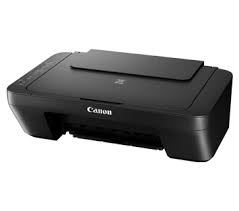
Canon PIXMA G3470
Canon Pixma G3470 MFP

With the Canon PIXMA G3470 Printer, a quick and simple 3-in-1 with a refillable ink tank and Wi-Fi, you can produce excellent prints at home.
With the cost-effective PIXMA G3470 MegaTank printer, print, scan, and copy documents at home without spending a fortune. It offers up to 8,100 prints and refillable tanks. The 1.3 inch clear LCD panel and one-motion print head installation make it simple to use on a daily basis. And print your papers at a rate of 6.0 ipm for color and 11.0 ipm for black and white.

Canon PIXMA G3470 Printer Driver for Windows

Compatibility Systems: Windows 11, Windows 10 (32bit), 10 (64bit), Windows 8.1 (32bit), 8.1 (64bit), Windows 7 (32bit), 7 (64bit)

Driver NameVersionRelease dateFile SizeDownload Link
G3070 series MP Driver1.0418 February, 202690.49 MBDownload
G3010 series Full Driver & Software Package1.428 November, 202420.02 MBDownload
Canon PIXMA G3470 Driver Description for Windows

This driver will provide full printing and scanning functionality for your product.

Download / Installation

  1. Download the file. For the location where the file is saved, check the computer settings.
  2. Double-click the downloaded EXE file to decompress it, then installation will start automatically.
Canon PIXMA G3571 Driver Download

Canon PIXMA G3571 Wireless Colour 3-in-1 Refillable MegaTank Printer Driver for Windows 11-10-8.1-7 (32bit-64bit)

G3070 series MP Driver for Microsoft Windows

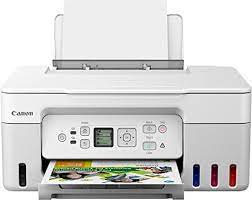
Canon PIXMA G3571 Printer
Canon PIXMA G3571 Printers

It offers both super-fast use and refillable ink. For residential users, the Pixma G3571 3-in-1 MegaTank printer is ideal. Documents and images can be printed, copied, and scanned with borderless printing. Connect quickly and easily to computers and smart devices.

Canon PIXMA G3571 Printer Driver for Windows

Compatible Systems: Windows 11, Windows 10 (32bit), Windows 10 (64bit), Windows 8.1 (32bit), Windows 8.1 (64bit), Windows 7 (32bit), Windows 7 (64bit)

Driver NameVersionRelease dateFile SizeDownload Link
G3070 series MP Driver1.0418 February, 202690.5 MBDownload
G3010 series Full Driver & Software Package1.428 November, 202420 MBDownload
Canon PIXMA G3571 Driver Description for Windows

This driver will provide full printing and scanning functionality for your product.

Setup

Download / Installation Procedures

  1. Download the file. For the location where the file is saved, check the computer settings.
  2. Double-click the downloaded EXE file to decompress it, then installation will start automatically.

Canon Pixma G3800 Driver Download

Canon Pixma G3800 Ink Tank Printer Driver for Windows 11-10-8.1-8-7 (32bit-64bit)

Pixma G3000 series Full Driver and Software Package- G3000 series MP Drivers and G3000 series XPS Printer Driver for Microsoft Windows

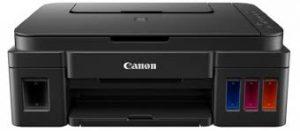
Canon Pixma G3800 Driver

Canon Pixma G3800 Printer

Canon Pixma G3800 is an inkjet printer and is designed for home users.

Pixma G3800 All-in-One Printer Features are as follows: Print speed is determined as 8.8 ppm for black and 5.0 ppm for color printing. It also has a print resolution of up to 4800 × 1200 dpi.

This printer features high-speed USB connection technology as well as Wi-Fi technology. Thanks to Wi-Fi technology, you can easily print from your mobile and Android devices.

You can use A4, A5, B5, LTR=100, LGL=10 paper sizes in this printer. Additionally, the printer has sufficient input capacity thanks to its 100-sheet paper tray.

Recommended print volume is 6000 – 7000 pages.

Canon PIXMA G3800 Printer Driver for Windows

Operating Systems: Windows 11, Windows 10 (32bit), 10 (64bit), Windows 8.1 (32bit), 8.1 (64bit), Windows 8 (32bit), 8 (64bit), Windows 7 (32bit), 7 (64bit)

Driver NameVersionRelease dateFile SizeDownload Link
MG3000 series Full Driver & Software Package1.304-Dec-202420.09 MBDownload
MG3000 series MP Drivers1.0425 July, 202368.2 MBDownload
Canon PIXMA MG3800 Series Driver Description for Windows

Install

*Be sure to connect your PC to the Internet while performing the following:

  1. Download the file. For the location where the file is saved, check the computer settings.
  2. Double-click the downloaded .exe file. It will be decompressed and the Setup screen will be displayed. Follow the instructions to install the software and perform the necessary settings.

G3000 series MP Drivers: This driver will provide full printing and scanning functionality for your product.