Canon MAXIFY GX4010 Driver Download for Windows 11-10-8.1-7 (32bit-64bit)
GX4000 series MP Driver (Windows)
Canon MAXIFY GX4010 Printers
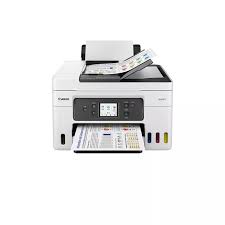
Canon MAXIFY GX4010 4-in-1 printer easily handles your tasks such as printing, photocopying, scanning and faxing in home and small offices. It provides ease of use, especially thanks to its wireless (wi-fi) operation feature. Additionally, this printer has a continuous ink supply system that reduces ink costs by using high-volume ink bottles. MAXIFY GX4010 MegaTank Printer is cost-effective.
Canon MAXIFY GX4010 Driver for Windows
Compatibility Systems: Windows 11, Windows 10 (32bit), 10 (64bit), Windows 8.1 (32bit), 8.1 (64bit), Windows 7 (32bit), 7 (64bit)
Canon MAXIFY GX4010 Driver Description for Windows
Details
This driver will provide full printing and scanning functionality for your product.
SETUP
Download / Installation Procedures
1. Download the file. For the location where the file is saved, check the computer settings. 2. Double-click the downloaded EXE file to decompress it, then installation will start automatically.
Canon i-SENSYS LBP5100 Printer Driver Download for MAC OS X 14, 13, 12, 11, 10.15, 10.14, 10.13
CAPT Printer Driver & Utilities for Macintosh
Canon i-SENSYS LBP5100 Printer
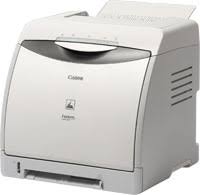
Canon i-SENSYS LBP5100 laser color printer is a device you can choose for your businesses with its compact and stylish design. Also, the resolution of this printer is 600 x 600 dpi. It also prints 10 pages per minute in color and 12 pages in black and white. Built-in automatic double-sided printing. The print resolution of the first print is 9600x600dpi.
Canon i-SENSYS LBP5100 Driver Download for MAC
Operating Systems: MacOS Sonoma 14, macOS Ventura 13, macOS Monterey 12, macOS Big Sur 11, macOS Catalina 10.15, macOS Mojave 10.14, macOS High Sierra 10.13
Canon i-SENSYS LBP5100 Driver Description for Windows
Details
This software is a CAPT printer driver for Canon LBP printers.
Customers are also advised to download the Auto Shutdown Tool from the web site. Installing the Auto Shutdown Tool allows the settings for the auto shutdown function to be configured for this product.
SETUP
The following instructions show you how to download the compressed files and decompress them.
Click the link. The download will start automatically.
Files are saved on your computer desktop.
Double-click the file to mount the Disk Image.
Double-click the mounted Disk Image.
Double-click the Installer file in the folder. Installation starts automatically.
Canon i-SENSYS LBP5100 Driver Download for Windows
Download Canon i-SENSYS MF8050Cn Printer Driver for Windows 10-8.1-8-7 64bit
i-SENSYS MF8050Cn/MF8030Cn MFDrivers (UFR II / FAX / ScanGear) for Microsoft Windows
Canon i-SENSYS MF8050Cn MFP
Canon i-SENSYS MF8050Cn Driver for Windows
Compatibility Systems: Windows 11, Windows 10 (32bit), 10 (64bit), Windows 8.1 (32bit), 8.1 (64bit), Windows 8 (32bit), 8 (64bit), Windows 7 (32bit), 7 (64bit), Vista (32bit), Vista (64bit),XP, WinXP (64bit)
Driver Name
Version
Release date
File Size
Download Link
i-SENSYS MF8050Cn/MF8030Cn MFDrivers (UFR II / FAX / ScanGear)
Canon i-SENSYS MF8050Cn Driver Description for Windows
For Windows 8 64-bit / Windows 8.1 64-bit, install the following service pack after installing the MF driver software.
Driver Version : UFR II Printer Driver – V20.05, Fax Driver – V8.05 (MF8050Cn), ScanGear – V11.3
*Precaution When Using a USB Connection Disconnect the USB cable that connects the device and computer before installing the driver. Connect the USB cable after installing the driver.
Drivers and applications are compressed. Click on the file link, and then click [Accept & Download].
When clicking [Run] on the file download screen (file is not saved to disk)
If the User Account Control prompt is displayed, click [Yes], and then click [Run] on the subsequent Security Alert screen.
The Setup Wizard will start.
After the Setup Wizard has started, follow the instructions on the screen to perform installation.
When clicking [Save] on the file download screen (file is saved to disk at specified location)
Save the file to an apporopriate location, and then double-click the file (double-clicking the file will create a new folder in the same location).
If the User Account Control prompt is displayed, click [Yes].
The Setup Wizard will start.
After the Setup Wizard has started, follow the instructions on the screen to perform installation.
Canon i-SENSYS MF8050Cn Printer Driver for MAC
Operating Systems: macOS 14 (Sonoma), macOS Ventura 13, Monterey 12, macOS Big Sur 11, macOS Catalina 10.15, macOS Mojave 10.14, macOS High Sierra 10.13