Canon ImageClass MF217W Driver

Canon ImageClass MF217W Driver Download for Windows 11-10-8.1(64bit)

imageCLASS MF217w MFDrivers (UFR II / FAX / ScanGear)and UFR II/UFRII LT V4 Printer Driver
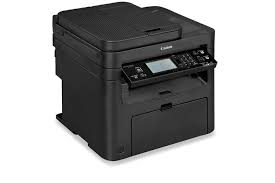
Canon imageCLASS MF217w laser Printer

Canon imageCLASS MF217w Black and White laser Multifunction Printers.

Canon ImageClass MF217W Driver Download for Windows

Compatibility Systems: Windows 11, Windows 10 (32bit), 10 (64bit), Windows 8.1 (32bit), 8.1 (64bit), Windows 8 (32bit), 8 (64bit), Windows 7 (32bit), 7 (64bit)

Driver NameVersionRelease dateFile SizeDownload Link
imageCLASS MF217w//MF216n/MF212w MFDrivers (UFR II / FAX / ScanGear)V4.5014 Jan, 2025119.8 MBDownload
Canon ImageClass MF217W Driver Description for Windows

Driver Version : UFR II Printer Driver – V21.20, Fax Driver – V10.10 (MF217w), ScanGear – V11.3

*Precaution When Using a USB Connection
Disconnect the USB cable that connects the device and computer before installing the driver.
Connect the USB cable after installing the driver.

Drivers and applications are compressed.

Download / Installation Procedures

  1. Download the file. For the location where the file is saved, check the computer settings.
  2. Double-click the downloaded EXE file to decompress it, then installation will start automatically.
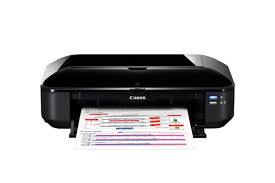
Canon Pixma iX6520 Driver

Canon Pixma iX6520 Driver for Windows 11-10-8.1-8-7-Vista (32bit-64bit)

iX6500 series Printer Driver-iX6500 series XPS Printer Driver for Microsoft Windows

Canon Pixma iX6520 Driver
Canon Pixma iX6520 Printer

Canon Pixma iX6520 is an inkjet printer manufactured by Canon. This printer is designed for large format printing and can print 13 x 19 inches (330 x 483 mm).

Canon Pixma iX6520 Driver for Windows

Compatibility Systems: Windows 11, Windows 10 (32bit), 10 (64bit), Windows 8.1 (32bit), 8.1 (64bit), Windows 8 (32bit), 8 (64bit), Windows 7 (32bit), 7 (64bit), Vista (32bit), Vista (64bit),XP, WinXP (64bit)

Driver NameVersionRelease dateFile SizeOperating systemsDownload Link
iX6500 series Printer Driver2.56c10.04.2116.51 MBWindows 11 – Windows10-10×64 – Windows 8.1-8.1×64 – Windows 8-8×64 – Windows 7-7×64 – Vista- Vistax64Download
iX6500 series XPS Printer Driver5.56a10.04.2115.26 MBWindows 11/10/10 x64/8.1/8.1 x64/8/8 x64/7/7 x64/Vista/Vista64Download
Canon Pixma iX6520 Driver Description for Windows

iX6500 series Printer Driver: This file is a printer driver for Canon IJ printers.

SETUP

Download / Installation Procedures

1. Click the link, select [ Save ], specify “Save As”, then click [ Save ] to download the file.
Memo: If you select [ Run ] ( or [ Open ] ) instead of [ Save ], the file will be automatically installed after it is saved.
2. The downloaded file will be saved in the specified place in the self-extracting form ( .exe format ).
3. Double-click the downloaded EXE file to decompress it, then installation will start automatically.

Canon PIXMA MG3640 Driver Download

Canon PIXMA MG3640 Driver Download for Windows 11-10-8.1-8-7 (32bit-64bit)

MG3600 series Full Driver & Software Package – MP Driver for Microsoft Windows

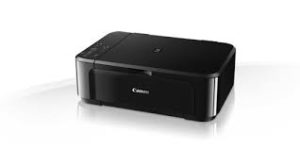
Canon PIXMA MG3640 Wireless Photo All-in-One Inkjet Printers

Canon PIXMA MG3640 Printer Driver for Windows

Operating Systems: Windows 11, Windows 10 (32bit), Windows 10 (64bit), Windows 8.1 (32bit), Windows 8.1 (64bit), Windows 8 (32bit), Windows 8 (64bit), Windows 7 (32bit), Windows 7 (64bit)

Driver NameVersionReleasedFile SizeDownload Link
MG3600 series Full Driver & Software Package1.128 Jun, 202249.3 MBDownload
Canon Pixma MG3640 Driver Description for Windows

This is an online installation software to help you to perform initial setup of your product on a PC (either USB connection or network connection) and to install various software.

Download / Installation Procedures
IMPORTANT: Be sure to connect your PC to the Internet while performing the following:

  1. Download the file. For the location where the file is saved, check the computer settings.
  2. Double-click the downloaded .exe file. It will be decompressed and the Setup screen will be displayed. Follow the instructions to install the software and perform the necessary settings.