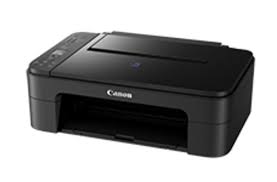
This file will download & install the driver, application or manual you need to set up the full functionality of your product.
Driver-Software
Version: 1.1
Name: win-e3100-1_1-n_mcd.exe
Release date: 26 September 2017
Operating systems
Microsoft Windows 10 (32-bit)
Microsoft Windows 10 (64-bit)
Microsoft Windows 8.1 (32-bit)
Microsoft Windows 8.1 (64-bit)
Microsoft Windows 7 (32-bit)
Microsoft Windows 7 (64-bit)
E3100 series MP Drivers: This driver will provide full printing and scanning functionality for your product.
Download / Installation Procedures
Download the file. For the location where the file is saved, check the computer settings.
Double-click the downloaded EXE file to decompress it, then installation will start automatically.
Uninstall Procedures If needed, you can uninstall this program using the Control Panel. Note : The steps below are for Windows 7. This procedure may be different for other OSes.
On the Start menu, click Control Panel, and then, under Programs click Uninstall a Program
A page will open with a list of installed programs. Double click on the program that you want to uninstall.
Click “Yes” then “OK”, this will complete the uninstallation process.
E3100 series XPS Printer Driver: This file is a printer driver for Canon IJ printers. XPS printer drivers support 16-bpc printing, which enables more smooth gradation printing than the current drivers (8-bpc printing).
Download / Installation Procedures
Click the link, select [ Save ], specify “Save As”, then click [ Save ] to download the file. Memo : If you select [ Run ] ( or [ Open ] ) instead of [ Save ], the file will be automatically installed after it is saved.
The downloaded file will be saved in the specified place in the self-extracting form ( .exe format ).
Double-click the downloaded EXE file to decompress it, then installation will start automatically.
E3100 series Full Driver & Software Package: This file will download and install the drivers, application or manual you need to set up the full functionality of your product.
Download / Installation Procedures IMPORTANT: Be sure to connect your PC to the Internet while performing the following:
Download the file. For the location where the file is saved, check the computer settings.
Double-click the downloaded .exe file. It will be decompressed and the Setup screen will be displayed. Follow the instructions to install the software and perform the necessary settings.