Canon PIXMA GM 4050 Driver

Download Canon PIXMA GM4050 Printer Driver for Windows 11/10/8.1/7 32bit-64bit

GM4000 series Driver setup package, GM4000 series MP Drivers
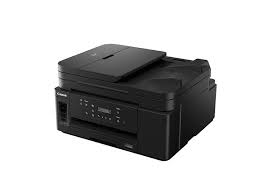
Canon PIXMA GM4050 MFP

It is capable of automatic duplex printing and has a large 350-sheet plain paper capacity with two-way feeding. Scan and copy with the 35-sheet ADF. Connect with Wireless Connect and print, scan, copy and even check ink levels via the Canon PRINT app. If you want, use the ethernet connection for local connections.

Canon PIXMA GM4050 Driver Download for Windows

Compatibility Systems: Windows 11, Windows 10 (32bit), 10 (64bit), Windows 8.1 (32bit), 8.1 (64bit), Windows 8 (32bit), 8 (64bit), Windows 7 (32bit), 7 (64bit), Vista (32bit), Vista (64bit),XP, WinXP (64bit)

Driver NameVersionRelease dateFile SizeDownload Link
GM4000 series Driver setup package1.206-Nov-202419.84 MBDownload
GM4070 MP Driver1.0226-Feb-202697.72 MBDownload
Canon PIXMA GM 4070 Driver Description for Windows

GM4000 series Driver setup package: This file will download and install the driver needed to set up and utilize your product. Once complete, you will be able to install software to enhance the product’s functionality.

Download / Installation Procedures
IMPORTANT: Be sure to connect your PC to the Internet while performing the following:

  1. Download the file. For the location where the file is saved, check the computer settings.
  2. Double-click the downloaded .exe file. It will be decompressed and the Setup screen will be displayed. Follow the instructions to install the software and perform the necessary settings.

GM4000 series MP Drivers:

This driver will provide full printing and scanning functionality for your product.

Download / Installation

  1. Download the file. For the location where the file is saved, check the computer settings.
  2. Double-click the downloaded EXE file to decompress it, then installation will start automatically.

Driver Canon PIXMA GM2070 for Windows

Version : 1.0
File name : win-gm2000-1_0-n_mcd.exe
Relase Date: 13 May, 2019
Operating Systems: Windows 10 (32bit), Windows 10 (64bit), Windows 8.1 (32bit), Windows 8.1 (64bit), Windows 7 (32bit), Windows 7 (64bit)
Download
Size : 20 MB
Driver Canon MAXIFY MB 2160

Download Canon MAXIFY MB2160 Printer Driver for Windows 11/10/8.1/8/7/Vista (32bit-64bit)

MB2100 series Full Driver & Software Package for Microsoft Windows

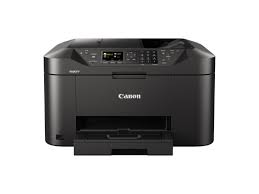
MFP Canon MAXIFY MB2160

Color and monochrome printer only supports A4 size. The maximum print speed for monochrome is 19 ppm and for colour: 19 ppm for colour. Also Maximum Print Resolution is 1200 x 1200 dpi.

Canon MAXIFY MB2160 Printer Driver for Windows

Compatibility Systems: Windows 11, Windows 10 (32bit), 10 (64bit), Windows 8.1 (32bit), 8.1 (64bit), Windows 8 (32bit), 8 (64bit), Windows 7 (32bit), 7 (64bit), Vista (32bit), Vista (64bit),XP, WinXP (64bit)

Driver NameVersionRelease dateFile SizeOperating systemsDownload Link
MB2000 series MP Drivers1.0415 Oct 202133750632 KBWindows 11 – Windows10-10×64 – Windows 8.1-8.1×64 – Windows 8-8×64 – Windows 7-7×64 – Vista- Vistax64Download
MB2000 series Full Driver & Software Package1.13 Nov 201652950460 KBWindows 10-10×64 – Windows 8.1-8.1×64 – Windows 8-8×64 – Windows 7-7×64 – Vista- Vistax64Download
MB2000 Driver1.115 Oct 202151.02 MBWindows 11 – Windows10-10×64 – Windows 8.1-8.1×64 – Windows 8-8×64 – Windows 7-7×64 – Vista- Vistax64Download
MB2760 MFP Driver1.08 July, 201656.05 MBWindows 10-10×64-8.1-8.1×64-7-7×64Download
Canon MAXIFY MB2160 Driver Description for Windows

MB2000 series MP Drivers: This is a driver that will provide full functionality for your selected model. It also allows you to set-up your printer for printing and scanning wirelessly. A version of this standard driver will have been included on the CD provided with your original product.

MB2000 series Full Driver & Software Package: This is an online installation software to help you to perform initial setup of your product on a PC (either USB connection or network connection) and to install various.

Driver Canon iSENSYS LBP 223 dw

Canon i-SENSYS LBP223dw Driver for Windows 11/10/8.1/7 (32bit-64bit)

Generic Plus PCL6 Printer Driver-Generic Plus UFR II Printer Driver for Microsoft Windows

Canon i-SENSYS LBP223dw Driver
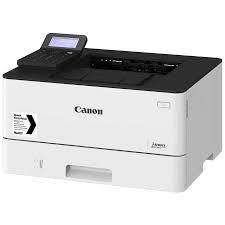
Canon i-SENSYS LBP223dw Laser Printer

I-SENSYS LBP223dw laser printer Ideal for small or medium-sized businesses. The 5-inch LCD touch screen allows you to easily customize the function buttons. In this way, you can meet your needs and increase productivity by quickly controlling daily tasks with a single button. It can reach print speeds of up to 33 pages per minute for A4 only. It also has wireless connectivity.

Driver Canon iSENSYS LBP 223 dw for Windows

Compatibility Systems: Windows 11, Windows 10 (32bit), 10 (64bit), Windows 8.1 (32bit), 8.1 (64bit), Windows 7 (32bit), 7 (64bit)

Driver NameVersionRelease dateFile SizeDownload Link
Generic Plus PCL6 Printer Driver2.6030 June, 202258.1 MBDownload
Generic Plus UFR II Printer Driverv2.102-Mar-202639.58 MBDownload
Canon i-SENSYS LBP223dw Driver Description for Windows

Generic Plus PCL6 Printer Driver: This is a package-aware driver. Some limitations exist when using this driver in a point-and-print environment; please check the [Important Information] tab before using.

The Canon-developed Generic Plus PCL6 Printer Driver is a common driver that supports multiple Canon devices.
It provides an optimal user interface for your device.

*Precaution When Using a USB Connection
Disconnect the USB cable that connects the device and computer before installing the driver.
Connect the USB cable after installing the driver.

Driver and application software files have been compressed.
The following instructions show you how to download the compressed files and decompress them.

  1. To download files, click the file link, select [Save], and specify the directory where you want to save the file. The download will start automatically.
  2. Downloaded files are saved in the specified folder in a self-extracting format (.exe format).
  3. Double-click the files to decompress them. A new folder will be created in the same folder. The new folder will have the same name as the compressed file.
  4. Double-click the decompressed Setup.exe file to start installation.