Download Canon PIXMA MG3670S Wireless Photo All-in-One Inkjet Printers Driver for Windows 11-10-8.1-8-7 (32bit-64bit) and MAC OS X (15, 14, 13, 12, 11, 10)
MG3600 series Full Driver for Microsoft Windows
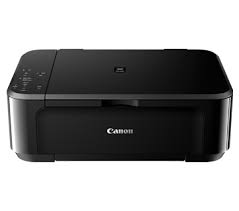
Offers smartphone app of Pixma MG3670s all-in-one wireless inkjet printer for direct photo printing, scanning and cloud printing. For direct printing of web pages or documents via iOS and Android devices, Apple AirPrint and Canon print service are available. There is a four color ink system with special black ink for black and white document printing.
Canon PIXMA MG3670S Printer Driver for Windows
Operating Systems: Windows 11, Windows 10 (32bit), Windows 10 (64bit), Windows 8.1 (32bit), Windows 8.1 (64bit), Windows 8 (32bit), Windows 8 (64bit), Windows 7 (32bit), Windows 7 (64bit)
| Driver Name | Version | Release date | File Size | Download Link |
| MG3600 series Full Driver & Software Package | 1.1 | 28 Jun, 2022 | 49.0MB | Download |
MG3600 series Full Driver and Software Package: This is an online installation software to help you to perform initial setup of your product on a PC (either USB connection or network connection) and to install various software.
Pixma MG3600 series MP Drivers: This is a driver that will provide full functionality for your selected model. It also allows you to set-up your printer for printing and scanning wirelessly. For an enhanced user experience we also recommend installing My Image Garden software. A version of this standard driver will have been included on the CD provided with your original product.
Canon PIXMA MG3670S Printer Driver for MAC
Operating Systems: macOS Sequoia 15, macOS Sonoma 14, macOS Ventura 13, macOS Monterey 12, macOS Big Sur 11, macOS Catalina 10.15, macOS Mojave 10.14, macOS High Sierra 10.13, macOS Sierra v10
| Driver Name | Release date | File Size | Download Link |
| MG3600 series Full Driver & Software Package | 02-Apr-2025 | 8.45 MB | Download |
Canon Pixma MG3600 series CUPS Printer Driver: This is a printer driver for your selected model. For an enhanced user experi