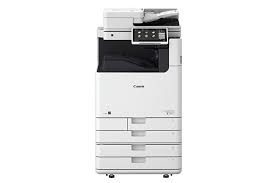
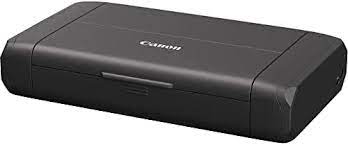
Canon PIXMA TS6350a Printer Driver Download for Windows 11-10-8.1-7 (32bit-64bit)
TS6300 series Driver setup package/TS6300 series MP Drivers for Microsoft Windows
Canon Printer PIXMA TS6350a
It has Wireless, Print, Copy, Scan, Cloud Link functions. Economical with 5 single inks and ChromaLife100 ink system. Supports Wi-Fi technology, Canon PRINT app, AirPrint (iOS) and Mopria (Android) devices. It also has an LED status bar. It can print 10 x 15 cm borderless photos in 21 seconds.
Canon PIXMA TS6350a Printer Driver for Windows
Compatibility Systems: Windows 11, Windows 10 (32bit), 10 (64bit), Windows 8.1 (32bit), 8.1 (64bit), Windows 7 (32bit), 7 (64bit)
Canon PIXMA TS6350a Driver Description for Windows
TS6300 series Driver setup package: This file will download and install the driver needed to set up and utilize your product. Once complete, you will be able to install software to enhance the product’s functionality.
Download / Installation Procedures
Download the file. For the location where the file is saved, check the computer settings.
Double-click the downloaded .exe file. It will be decompressed and the Setup screen will be displayed. Follow the instructions to install the software and perform the necessary settings.
TS6300 series MP Drivers: This driver will provide full printing and scanning functionality for your product.
Download / Installation Procedures
Download the file. For the location where the file is saved, check the computer settings.
Double-click the downloaded EXE file to decompress it, then installation will start automatically.
Download Canon i-SENSYS LBP613Cdw Printer Driver for Windows 11-10-8.1-8-7 (32bit-64bit) – Mac Driver (macOS 12, 11, 10.15, 10.14, 10.13, v10.12)
Generic Plus PCL6 Printer Driver- Generic UFR II V4 Printer Driver for Microsoft Windows
UFR II/UFRII LT Printer Driver & Utilities for Macintosh
UFR II/UFRII LT Printer Driver for Linux
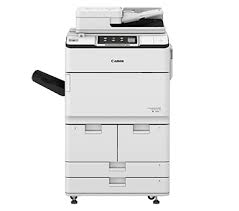
Canon i-SENSYS LBP613Cdw
Canon i-SENSYS LBP613Cdw Printer Driver for Windows
Compatibility Systems: Windows 11, Windows 10 (32bit), 10 (64bit), Windows 8.1 (32bit), 8.1 (64bit), Windows 8 (32bit), 8 (64bit), Windows 7 (32bit), 7 (64bit), Vista (32bit), Vista (64bit),XP, WinXP (64bit)
Driver Name
Version
Release date
File Size
Operating systems
Download Link
Generic Plus PCL6 Printer Driver
V2.60
30 June, 2022
58.1 MB
Windows 11-10 (32bit)-10 (64bit) – 8.1-8.1×64 -8-8×64 -7-7×64
Canon i-SENSYS LBP613Cdw Driver Description for Windows
Generic Plus PCL6 Printer Driver: The Canon-developed PCL6 printer driver is a widely-used driver in office environments, which allows for efficient print processing from your computer, as the printer is responsible for the bulk of print data processing.
Precaution When Using a USB Connection Disconnect the USB cable that connects the device and computer before installing the driver. Connect the USB cable after installing the driver.
Driver and application software files have been compressed. The following instructions show you how to download the compressed files and decompress them.
To download files, click the file link, select [Save], and specify the directory where you want to save the file. The download will start automatically.
Downloaded files are saved in the specified folder in a self-extracting format (.exe format).
Double-click the files to decompress them. A new folder will be created in the same folder. The new folder will have the same name as the compressed file.
Double-click the decompressed Setup.exe file to start installation.
Generic UFR II V4 Printer Driver:
This is the Generic UFR II V4 Printer Driver. Access the various printing functions of Canon devices from the print settings screen of this driver. To use the Canon specific print settings of this driver with apps, you should also install the Canon Office Printer Utility which is available from the Windows Store. Information about how to install and use this driver, as well as the details of each function, can be found in the e-manual, which is available here: canon.com/oip-manual
Canon i-SENSYS LBP613Cdw Printer Driver for MAC
Operating Systems: macOS 13, Monterey 12, macOS Big Sur 11, macOS Catalina 10.15, macOS Mojave 10.14, macOS High Sierra 10.13, macOS Sierra v10.12
Download Canon imageRUNNER ADVANCE DX 6780i MF Printer Driver for Windows 11-10-8.1-7 (32bit-64bit)
Generic Plus PCL6 Printer Driver-Color Network ScanGear-Generic FAX Driver for Microsoft Windows
Canon imageRUNNER ADVANCE DX 6780i MFP
It is capable of printing up to 80 pages per minute (A4) and scanning at 270 images per minute (A4). It has a 10.1 inch all-digital color touch panel. With advanced cloud connectivity, documents can be accessed from anywhere, in reusable formats for easy use. Centrally managed print settings with uniFLOW Online Express as standard.
Canon imageRUNNER ADVANCE DX 6780i Printer Driver for Windows
Compatibility Systems: Windows 11, Windows 10 (32bit), 10 (64bit), Windows 8.1 (32bit), 8.1 (64bit), Windows 7 (32bit), 7 (64bit)
Driver Name
Version
Release date
File Size
Operating systems
Download Link
Generic Plus PCL6 Printer Driver
V2.60
30 Jun, 2022
58.0 MB
Windows 11-10 (32bit)-10 (64bit) -8.1 (32bit)-8.1 (64bit)-7 (32bit)-7 (64bit)
Canon imageRUNNER ADVANCE DX 6780i Driver Description for Windows
Generic Plus PCL6 Printer Driver: Precaution When Using a USB Connection Disconnect the USB cable that connects the device and computer before installing the driver. Connect the USB cable after installing the driver. Driver and application software files have been compressed. The following instructions show you how to download the compressed files and decompress them.
Color Network ScanGear: Driver and application software files have been compressed. The following instructions show you how to download the compressed files and decompress them.
To download files, click the file link, select [Save], and specify the directory where you want to save the file.The download will start automatically.
Downloaded files are saved in the specified folder in a self-extracting format (.exe format).
Double-click the files to decompress them. A new folder will be created in the same folder.The new folder will have the same name as the compressed file.
Double-click the decompressed Setup.exe file to start installation.
Generic FAX Driver: This is a package-aware driver. Some limitations exist when using this driver in a point-and-print environment; please check the [Important Information] tab before using