Canon imageRUNNER 2725 Driver Download

Canon imageRUNNER 2725 Printer Driver Download for Windows 11-10-8.1-7 (32bit-64bit)

Generic Plus PCL6 Printer Driver-Color Network ScanGear 2-Generic FAX Driver for Microsoft Windows

Canon imageRUNNER 2725 Printer
Canon imageRUNNER 2725 MFP

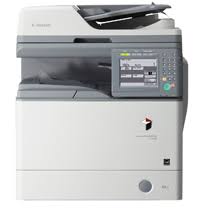
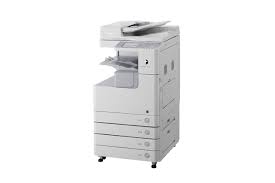
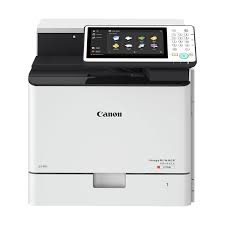
Our Canon imageRUNNER 2725 multifunction printer makes quick work of Print, Copy, Scan, Send and Optional Fax tasks. Especially its ability to perform A3 Black and White Laser printing makes the printer preferable for offices.
It has a 7 inch TFT LCD WVGA Color Touch panel, which makes it especially easy to use. Print speed Simplex: Up to 25 ppm (A4, A5, A5R, A6R), up to 15 ppm (A3), up to 20 ppm (A4R).
It also supports AirPrint, Mopria, Canon PRINT Business, uniFLOW Online and Microsoft Universal Printing.
If you want to take advantage of the photocopy feature; It can easily do up to 45 pages per minute (A4, A5, A5R, A6R), up to 22 pages per minute (A3), up to 32 pages per minute (A4R).
If you want to take advantage of the scanning feature; Simplex Scan: 35/25 (300 x 300 dpi, send), 25 (B&W, 600 x 600 dpi, copy) and Duplex Scan: 12/8 (300 x 300 dpi, send), 8 (Black-and-White, 600 x 600 dpi, copy) We can say that it is white, 600 x 600 dpi, photocopy).

Canon imageRUNNER 2725 Driver Download for Windows

Driver NameVersionPost dateFile SizeCompatible systemsDownload Link
Generic Plus PCL6 Printer DriverV3.0025 Mar, 202435.0 MBWindows 11 – 10-10×64Download
Color Network ScanGear 2V2.3314 Sep, 202314.0 MBWindows 11 – 10-10×64Download
Generic FAX DriverV10.6012 January, 202432 MBWindows 11 – 10-10×64- 8.1-8.1×64-7-7×64Download
Canon imageRUNNER 2725 Printer Driver Description for Windows

Generic Plus PCL6 Printer Driver: The Canon-developed Generic Plus PCL6 Printer Driver is a common driver that supports multiple Canon devices. It provides an optimal user interface for your device.

Precaution When Using a USB Connection
Disconnect the USB cable that connects the device and computer before installing the driver. Connect the USB cable after installing the driver.

Driver and application software files have been compressed.
The following instructions show you how to download the compressed files and decompress them.

  1. To download files, click the file link, select [Save], and specify the directory where you want to save the file.The download will start automatically.
  2. Downloaded files are saved in the specified folder in a self-extracting format (.exe format).
  3. Double-click the files to decompress them. A new folder will be created in the same folder. The new folder will have the same name as the compressed file.
  4. Double-click the decompressed Setup.exe file to start installation.

Generic FAX Driver: This is a package-aware driver. Some limitations exist when using this driver in a point-and-print environment; please check the [Important Information] tab before using.

Precaution When Using a USB Connection
Disconnect the USB cable that connects the device and computer before installing the driver. Connect the USB cable after installing the driver.

Driver and application software files have been compressed.
The following instructions show you how to download the compressed files and decompress them.

  • To download files, click the file link, select [Save], and specify the directory where you want to save the file. The download will start automatically.
  • Downloaded files are saved in the specified folder in a self-extracting format (.exe format).
  • Double-click the files to decompress them. A new folder will be created in the same folder. The new folder will have the same name as the compressed file.
  • Double-click the decompressed Setup.exe file to start installation.

Canon imageRUNNER ADVANCE 4500 Driver Windows

Canon imageRUNNER ADVANCE 4500 Printer Driver for Windows 11-10 (32bit-64bit)

Generic Plus PCL6 Printer Driver for Microsoft Windows

Canon imageRUNNER ADVANCE 4500 Driver Windows

Canon imageRUNNER ADVANCE 4500 Driver Download Windows

Compatibility Systems: Windows 11, Windows 10 (32bit), 10 (64bit)

Driver NameVersionRelease dateFile SizeDownload Link
Generic Plus PCL6 Printer DriverV3.0025 March, 202466.0 MBDownload
Canon imageRUNNER 2725i DriverV2.3212 January, 202414.11 MBDownload
Canon imageRUNNER ADVANCE 4500 Driver Description for Windows

Generic Plus PCL6 Printer Driver: This is a package-aware driver. Some limitations exist when using this driver in a point-and-print environment.The Canon-developed Generic Plus PCL6 Printer Driver is a common driver that supports multiple Canon devices. It provides an optimal user interface for your device.

Precaution When Using a USB Connection
Disconnect the USB cable that connects the device and computer before installing the driver.
Connect the USB cable after installing the driver.

Driver and application software files have been compressed.
The following instructions show you how to download the compressed files and decompress them.

  1. To download files, click the file link, select [Save], and specify the directory where you want to save the file. The download will start automatically.
  2. Downloaded files are saved in the specified folder in a self-extracting format (.exe format).
  3. Double-click the files to decompress them. A new folder will be created in the same folder. The new folder will have the same name as the compressed file.
  4. Double-click the decompressed Setup.exe file to start installation.

Canon imageRUNNER 2725i Driver

Canon imageRUNNER 2725i Printer Driver Download for Windows 11-10-8.1-7 (32bit-64bit)

Generic Plus PCL6 Printer Driver-Color Network ScanGear 2-Generic FAX Driver for Microsoft Windows

Canon imageRUNNER 2725i MFP

We would also like to give information about some technical features of the Canon imageRUNNER 2725i multifunction printer. This printer is a multifunctional printer capable of A3 Black and White Laser printing. It easily handles Printing, Photocopying, Scanning, Send and Optional Fax tasks. That’s why it is preferred in offices. It has a 7 inch TFT LCD WVGA Color Touch panel that provides ease of use. Print speed is Single-sided: Up to 25 pages per minute (A4, A5, A5R, A6R), up to 15 pages per minute (A3), up to 20 pages per minute (A4R). It can also do double-sided printing. Supports AirPrint, Mopria, Canon PRINT Business, uniFLOW Online and Microsoft Universal Printing.

Canon imageRUNNER 2725i Driver Download for Windows

Compatibility Systems: Windows 11, Windows 10 (32bit), 10 (64bit), Windows 8.1 (32bit), 8.1 (64bit), Windows 7 (32bit), 7 (64bit)

Driver NameVersionRelease dateFile SizeOperating systemsDownload Link
Generic Plus PCL6 Printer DriverV3.0025 Mar, 202435.0 MBWindows 11 – 10-10×64Download
Color Network ScanGear 2V2.3212 January, 202414.1 MBWindows 11 – 10-10×64Download
Color Network ScanGear 2V2.3314 Sep, 202314.0 MBWindows 11 – 10-10×64Download
Generic FAX DriverV10.6012 January, 202432 MBWindows 11-10 (32-bit)- 10 (64-bit- 8.1 (32-bit)- 8.1 (64-bit)- 7 (32-bit)- 7 (64-bit)Download
Canon imageRUNNER 2725i Printer Driver Description for Windows

Generic Plus PCL6 Printer Driver: The Canon-developed Generic Plus PCL6 Printer Driver is a common driver that supports multiple Canon devices. It provides an optimal user interface for your device.

Precaution When Using a USB Connection
Disconnect the USB cable that connects the device and computer before installing the driver. Connect the USB cable after installing the driver.

Driver and application software files have been compressed.
The following instructions show you how to download the compressed files and decompress them.

  1. To download files, click the file link, select [Save], and specify the directory where you want to save the file.The download will start automatically.
  2. Downloaded files are saved in the specified folder in a self-extracting format (.exe format).
  3. Double-click the files to decompress them. A new folder will be created in the same folder. The new folder will have the same name as the compressed file.
  4. Double-click the decompressed Setup.exe file to start installation.

Generic FAX Driver: This is a package-aware driver. Some limitations exist when using this driver in a point-and-print environment; please check the [Important Information] tab before using.

Precaution When Using a USB Connection
Disconnect the USB cable that connects the device and computer before installing the driver.
Connect the USB cable after installing the driver.

Driver and application software files have been compressed.
The following instructions show you how to download the compressed files and decompress them.

  1. To download files, click the file link, select [Save], and specify the directory where you want to save the file. The download will start automatically.
  2. Downloaded files are saved in the specified folder in a self-extracting format (.exe format).
  3. Double-click the files to decompress them. A new folder will be created in the same folder. The new folder will have the same name as the compressed file.
  4. Double-click the decompressed Setup.exe file to start installation.
Exit mobile version