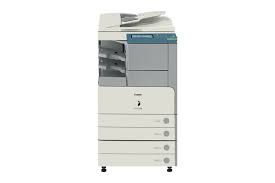
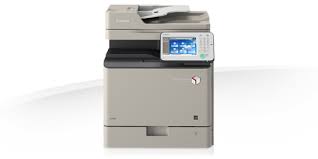
Download Canon imageRunner iR2022 Printer Driver for Windows 11-10-8.1-8-7 (32bit-64bit) and Driver for Mac OSX (macOS 14, 13, 12, 11, 10.15, 10.14) and Driver for Linux 64bit – Linux 32bit- Linux ARM-Linux MIPS
- Generic PCL6 Printer Driver & Lite Plus PCL6 Printer Driver for Microsoft Windows
- UFR II/UFRII LT Printer Driver & Utilities and Fax Driver & Utilities for Macintosh
- UFR II/UFRII LT Printer Driver for Linux
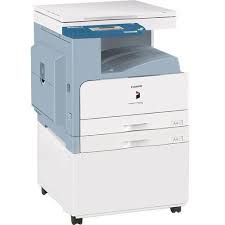
Canon imageRunner 2022 Printer Driver for Windows
Compatibility Systems: Windows 11, Windows 10 (32bit), 10 (64bit), Windows 8.1 (32bit), 8.1 (64bit), Windows 8 (32bit), 8 (64bit), Windows 7 (32bit), 7 (64bit)
| Driver Name | Version | Release date | File Size | Operating systems | Download Link |
| Generic PCL6 Printer Driver | V3.11 | 24 Nov, 2021 | 46.1 MB | Windows 11-Windows10 32bit-10 64bit-Windows 8.1-8.1×64-Windows 8-8×64-Windows 7-7×64 | Download |
| PCL6 Printer Driver | V15.00 | Oct 4, 2021 | 46.02 MB | Windows 11 – Windows10-10×64 – Windows 8.1-8.1×64 – Windows 8-8×64 – Windows 7-7×64 | Download |
| Lite Plus PCL6 Printer Driver | v1.12 | 23 May, 2017 | 18.01 MB | Windows 11,10-10×64, 8.1-8.1×64, 7-7×64 | Download |
| imageRUNNER 2206N Driver | V2.30 | 24 Sep, 2020 | 62.25 MB | Windows 11-10-10×64- 8.1-8.1×64 -7-7×64 | Download |
Generic PCL6 Printer Driver and PCL6 Printer Driver: This is a package-aware driver.
Some limitations exist when using this driver in a point-and-print environment; please check the [Important Information] tab before using.
Precaution When Using a USB Connection. Disconnect the USB cable that connects the device and computer before installing the driver. Connect the USB cable after installing the driver. Driver and application software files have been compressed. The following instructions show you how to download the compressed files and decompress them.
- To download files, click the file link, select [Save], and specify the directory where you want to save the file. The download will start automatically.
- Downloaded files are saved in the specified folder in a self-extracting format (.exe format).
- Double-click the files to decompress them. A new folder will be created in the same folder. The new folder will have the same name as the compressed file.
- Double-click the decompressed Setup.exe file to start installation.
Lite Plus PCL6 Printer Driver: This printer driver is the Lite Plus PCL6 which has been designed, developed and optimized primarily to work in Citrix and other thin client network environments. Importantly, it has support for the many Canon device options and functions available and at the same time retains an extremely small footprint.
Canon imageRunner 2022 Printer Driver for MAC
Compatible Systems: MacOS Sonoma 14, macOS Ventura 13, macOS Monterey 12, macOS Big Sur 11, macOS Catalina 10.15, macOS Mojave 10.14
| Driver Name | Version | Release date | File Size | Operating Systems | Download Link |
| UFR II/UFRII LT Printer Driver & Utilities | V10.19.20 | 30-Jun-2025 | 103.4 MB | macOS 10.14 | Download |
| Scanner Driver & Utilities | V2.15.14 | 12.07.23 | 87.6 MB | macOS 14, 13, 12, 11, 10.14 | Download |
UFR II/UFRII LT Printer Driver & Utilities for Macintosh – Fax Driver & Utilities: The following instructions show you how to download the compressed files and decompress them.
- Click the link. The download will start automatically.
- Files are saved on your computer desktop.
- Double-click the file to mount the Disk Image.
- Double-click the mounted Disk Image.
- Double-click the Installer file in the folder. Installation starts automatically.
Canon imageRunner 2022 Printer Driver for Linux
Compatible Systems: Linux (32-bit), Linux (64-bit), Linux ARM, Linux MIPS
| Driver Name | Version | Release date | File Size | Download Link |
| UFR II/UFRII LT Printer Driver | V6.00 | 11-Sep-2024 | 64.03 MB | Download |
File Name: linux-UFRII-drv-v560-m17n-08.tar.gz