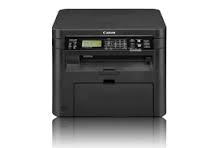
The imageCLASS MF212w is an easy to use, wireless1 laser multifunction printer that produces professional output and features an array of mobile capabilities. With print, copy, and scan needs combined into one compact device your small office or home office will run efficiently.
Canon ImageClass MF212w Drivers Download for Windows
Canon ImageClass MF212w Driver Description for Windows
UFR II/UFRII LT V4 Printer Driver:
This is the UFR II/UFRII LT V4 Printer Driver. Access the various printing functions of Canon devices from the print settings screen of this driver. When using apps, such as those available from the Windows Store, only the Windows default print settings are available. To use the Canon specific print settings of this driver with apps, you should also install the Canon Office Printer Utility which is available from the Windows Store. Information about how to install and use this driver, as well as the details of each function, can be found in the e-manual, which is available here: canon.com/oip-manual
Canon imageCLASS MF4820d Printer Driver for Mac OS (12, 11,10.15, 10.14, 10.13, v10.12)
MF Printer Driver & Utilities for Macintosh
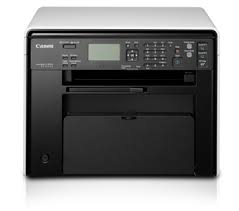
Canon imageCLASS MF4820d Printer
Canon imageCLASS MF4820d Printer Driver for MAC
Operating Systems: MacOS Monterey 12, macOS Big Sur 11, macOS Catalina 10.15, macOS Mojave 10.14, macOS High Sierra 10.13, macOS Sierra v10.12.1 or later, OS X El Capitan v10.11
Canon imageCLASS MF4820d Driver Description for MAC
Scanner Driver & Utilities for Macintosh: The MF Scan Utility and MF Toolbox necessary for adding scanners are also installed. To find out which application the printer model you are using supports, refer to the Readme file.
Canon imageCLASS MF4820d Printer Driver for Windows
Compatible Systems: Windows 11, Windows 10 (64bit), Windows 8.1 (64bit), Windows 7 (64bit)