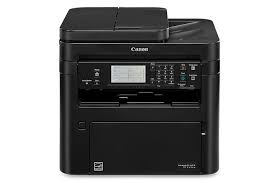
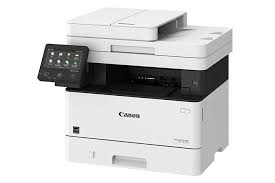
Color imageCLASS MF632Cdw Driver Download

Color imageCLASS MF632Cdw Printer Driver Download for Windows 11-10 (64bit)

Generic Plus UFR II Printer Driver for Windows

Color imageCLASS MF632Cdw Printer

Color imageCLASS MF632Cdw All-in-One, Wireless, Duplex Laser Printers

Color imageCLASS MF632Cdw Driver Download for Windows

This is a Canon-developed Generic Plus UFR II Printer Driver.
This is a generic printer driver that supports various Canon devices. You can use the same driver for all printer models by changing the settings for the printing port and device information.

Version: V3.00
File name : GPlus_UFRII_Driver_V300_W64_00.exe
Released: 30-August-2024
Size: 38MB

Operating systems: Windows 11-Windows 10 (64bit)

Download

*Precaution When Using a USB Connection
Disconnect the USB cable that connects the device and computer before installing the driver.
Connect the USB cable after installing the driver.

Driver and application software files have been compressed.
The following instructions show you how to download the compressed files and decompress them.

  1. To download files, click the file link, select [Save], and specify the directory where you want to save the file.The download will start automatically.
  2. Downloaded files are saved in the specified folder in a self-extracting format (.exe format).
  3. Double-click the files to decompress them. A new folder will be created in the same folder. The new folder will have the same name as the compressed file.
  4. Double-click the decompressed Setup.exe file to start installation.
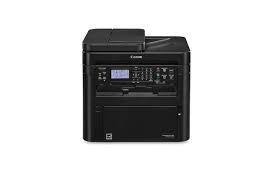
Canon D1350 Driver

Canon imageCLASS D1350 Laser Multifunction Copier

imageCLASS D1370/D1350/D1320 MFDrivers (UFR II / PCL / PS3 / FAX / ScanGear)

Driver-Software

Name: D1300MFDriversV2095W64usEN.exe
Version: V20.95
File Language: English
Relase Date: 02/10/2017

Operating Systems

Microsoft Windows 10 64-Bit
Microsoft Windows 8.1 64-Bit
Microsoft Windows 8 64-Bit
Microsoft Windows 7 64-Bit
Microsoft Windows Vista 64-Bit

Download

Size: 71.35 MB

Color imageCLASS MF634Cdw Driver

Color imageCLASS MF634Cdw Printer Driver download for Windows 11-10-8.1 (32bit-64bit)

MF643Cdw MFDrivers (Generic Plus UFR II / Generic Plus PCL6 / ScanGear)

Color imageCLASS MF634Cdw MFP

Color imageCLASS MF634Cdw All-in-One, Wireless, Duplex Laser Printers

Color imageCLASS MF634Cdw Driver Download for Windows

Generic Plus UFR II Printer Driver – V2.90, Generic Plus PCL6 Printer Driver – V2.90, ScanGear – V11.3

Version: V6.405
File name: MF642CMFDriverV6405W64.exe
Language: English
Release date: 11 September 2023
Size: 209.1 MB

Operating Systems: Windows 10 64-Bit, Windows 11

Download

Driver Version : Generic Plus UFR II Printer Driver – V1.10, Generic FAX Driver – V10.30 (MF634Cdw), ScanGear – V11.3

*Precaution When Using a USB Connection

Disconnect the USB cable that connects the device and computer before installing the driver.

Connect the USB cable after installing the driver.
Drivers and applications are compressed.
Download the file.

* When clicking [Run] on the file download screen (file is not saved to disk)

1. If the User Account Control prompt is displayed, click [Yes], and then click [Run] on the subsequent Security Alert screen.
2. The Setup Wizard will start.
3. After the Setup Wizard has started, follow the instructions on the screen to perform installation.

Color imageCLASS MF634Cdw Driver for Windows

Generic UFR II V4 Printer Driver: This is the Generic UFR II V4 Printer Driver.
Access the various printing functions of Canon devices from the print settings screen of this driver.
To use the Canon specific print settings of this driver with apps, you should also install the Canon Office Printer Utility which is available from the Windows Store.
Information about how to install and use this driver, as well as the details of each function, can be found in the e-manual, which is available here: canon.com/oip-manual

Version: v2.1
File name: GUFRII_V4_PrinterDriver_V21_00.exe
Post Date: 28 November 2022
Size: 37 MB

Download

Compatible systems: Windows 11-Windows 10 (32-bit)-Windows 10 (64-bit)-Windows 8.1 (32-bit)-Windows 8.1 (64-bit)

Exit mobile version