Download Canon imageCLASS D860 Printer Driver for Windows (Windows Vista/7 32bit)
Canon Advanced Printing Technology for Canon imageCLASS D880/D860/D861
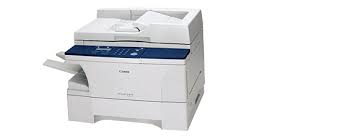
Printer Canon imageCLASS D860
ImageCLASS D860 Laser Printer and Copier. Legal size flat glass for ease of copying and You can get laser output in print quality up to 2,400 x 600 dpi. Copy at up to 18 copies per minute and print at 16 pages per minute.
Canon imageCLASS D860 Driver for Windows
Post Date: Jun 14, 2012 File Name: D800_Series_R110_V110_Win_x32_us_EN_7.exe Version: R1.10V1.10 Language: English Compatibility Systems: Windows 7 32bit, Vindows Vista 32bit Download Size: 1.43MB
Canon imageCLASS D320 Driver for Windows
Version: V3.00 Relase Date: 07/16/2015 File Name: CARPS_Driver_V300_W32_us_EN.exe Operating Systems: Windows 10 (32 bit), Windows 10 (64 bit), Windows 8.1 (32 bit), Windows 8.1 (64 bit), Windows 8 (32 bit), Windows 8 (64 bit), Windows 7 (32 bit), Windows 7 (64 bit) Download Size: 4.86 MB
Download Canon Imageclass LBP227dw WiFi Laser Printer Driver for Windows 11/10 32bit-64bit
Generic Plus UFR II Printer Driver and Generic Plus PCL6 Printer Driver for Microsoft Windows
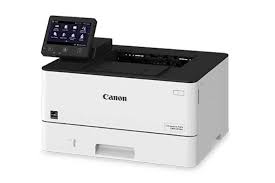
Canon Imageclass LBP227dw
Canon Imageclass LBP227dw – Wireless, Mobile-Ready, Duplex Monochrome Laser Printer, with Expandable Paper Capacity Up to 900 Sheets. Paper Size: 4.1 x 5.8, 8.5 x 14, 3 x 5. Print up to 40 ppm.
Canon Imageclass LBP227dw Driver for Windows
Compatibility Systems: Windows 11, Windows 10 (32bit), Windows 10 (64bit)
Canon imageCLASS LBP227dw Driver Description for Windows
Generic Plus UFR II Printer Driver: This is a Canon-developed Generic Plus UFR II Printer Driver. This is a generic printer driver that supports various Canon devices. You can use the same driver for all printer models by changing the settings for the printing port and device information.
Generic Plus PCL6 Printer Driver: The Canon-developed Generic Plus PCL6 Printer Driver is a common driver that supports multiple Canon devices. It provides an optimal user interface for your device.
Precaution When Using a USB Connection Disconnect the USB cable that connects the device and computer before installing the driver. Connect the USB cable after installing the driver.
Driver and application software files have been compressed. The following instructions show you how to download the compressed files and decompress them.
To download files, click the file link, select [Save], and specify the directory where you want to save the file. The download will start automatically.
Downloaded files are saved in the specified folder in a self-extracting format (.exe format).
Double-click the files to decompress them. A new folder will be created in the same folder. The new folder will have the same name as the compressed file.
Double-click the decompressed Setup.exe file to start installation.
Canon ImageCLASS LBP151dw Driver Download for Windows
Version: V21.55 File Name: LBP151dw_UFRII_Driver_V2155_W64_us_EN.exe Post Date: Marc 16, 2016 Operating Systems: Windows 10 64-Bit, 8.1 64-Bit, 8 64-Bit, 7 64-Bit, Vista 64-Bit Download Size: 21.81MB