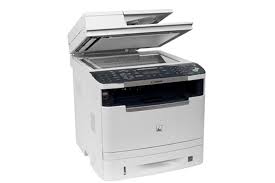
Download Canon Color imageCLASS MF746Cdw Printer Driver for Windows 10-11 (64-bit)
MF746Cdw/MF745Cdw MFDrivers (Generic Plus UFR II / Generic Plus PCL6 / Generic Plus PS3 / Generic FAX / ScanGear)
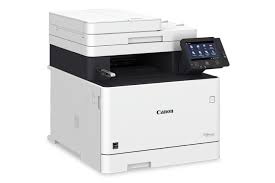
Ideal for small workgroups. The Color imageCLASS MF746Cdw features clear imaging and minimal maintenance. It handles many tasks with a single machine as it has print, copy, scan and fax capabilities. The 5″ color touchscreen offers an intuitive user experience and can be customized by a device manager to simplify daily tasks.
Canon imageCLASS MF746Cdw Driver for Windows
MF746Cdw/MF745Cdw MFDrivers (Generic Plus UFR II / Generic Plus PCL6 / Generic Plus PS3 / Generic FAX / ScanGear)
Version: V6.404
File Name: MF745CMFDriverV6404WP.exe
Released: 03.24.22
Language: English
Compatibility Systems: Windows 10 (64bit), Windows 11
Size: 288.95 MB
Driver Version : Generic Plus UFR II Printer Driver – V2.00, Generic Plus PCL6 Printer Driver – V2.00, Generic Plus PS3 Printer Driver – V2.00 (MF746Cdw), Generic FAX Driver – V10.30, ScanGear – V11.3
*Precaution When Using a USB Connection
Disconnect the USB cable that connects the device and computer before installing the driver.
Connect the USB cable after installing the driver.
Drivers and applications are compressed.
Download the file.
* When clicking [Run] on the file download screen (file is not saved to disk)
1. If the User Account Control prompt is displayed, click [Yes], and then click [Run] on the subsequent Security Alert screen.
2. The Setup Wizard will start.
3. After the Setup Wizard has started, follow the instructions on the screen to perform installation.
When clicking [Save] on the file download screen (file is saved to disk at specified location)
1. Save the file to an apporopriate location, and then double-click the file (double-clicking the file will create a new folder in the same location).
2. If the User Account Control prompt is displayed, click [Yes].
3. The Setup Wizard will start.
4. After the Setup Wizard has started, follow the instructions on the screen to perform installation.
Canon imageCLASS MF746Cdw Generic Plus PCL6 Printer Driver for Windows
Version: V3.00
File name: GPlus_PCL6_Driver_V300_32_64_00.exe
Release date: 11 September 2024
Size: 65.99 MB
Operating systems: Windows 11- Windows 10(32bit)-Windows 10 (64bit)
Precaution When Using a USB Connection
Disconnect the USB cable that connects the device and computer before installing the driver.
Connect the USB cable after installing the driver.
Driver and application software files have been compressed.
The following instructions show you how to download the compressed files and decompress them.
- To download files, click the file link, select [Save], and specify the directory where you want to save the file. The download will start automatically.
- Downloaded files are saved in the specified folder in a self-extracting format (.exe format).
- Double-click the files to decompress them. A new folder will be created in the same folder. The new folder will have the same name as the compressed file.
- Double-click the decompressed Setup.exe file to start installation.
Canon imageCLASS MF244 Driver for Windows
Version: V2.10
Name: GPlus_PCL6_Driver_V210_32_64_00.exe
Post date: 30 Aug, 2019
Language: English
Compatible Systems: Windows 10 (32-bit), Windows 10 (64-bit), Windows 8.1 (32-bit), Windows 8.1 (64-bit), Windows 7 (32-bit), Windows 7 (64-bit)
Size: 61.45MB