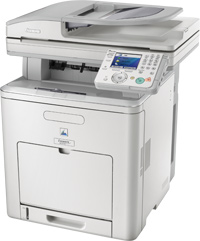
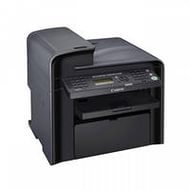
Canon MF6550 Driver

Canon i-SENSYS MF6550 Printer Driver for Windows
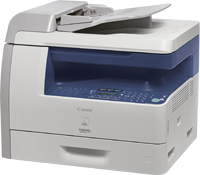
Canon i-SENSYS MF6550 Printer

Service Pack for MF6500 Series Printer Driver

Operating systems

Windows 10 (32-bit), Windows 10 (64-bit), Windows 8.1 (32-bit), Windows 8.1 (64-bit), Windows 8 (32-bit), Windows 8 (64-bit), Windows 7 (32-bit), Windows 7 (64-bit)

Languages: English, Français, Español, Italiano, Deutsch, Nederlands, 简体中文

Driver – Software

File version: V10262614

File Size: 3.1 MB

File name: Dias-ServicePack_Multi.exe

Download

Release date: 07/16/2015

Canon i-SENSYS MF9170 Driver

Download Canon i-SENSYS MF9170 Printer Driver for Windows 11,10,8.1,8,7 (32bit/64bit)

PCL6 Printer Driver Microsoft windows

Canon i-SENSYS MF9170 Printer

Canon i-SENSYS MF9170 Driver for Windows

Release date: 24 November, 2021
Version: V15.00
File name: PCL6_Driver_V1500_32_64_EN_00.exe
Compatible systems: Windows 11, Windows 10 (32-bit), Windows 10 (64-bit), Windows 8.1 (32-bit), Windows 8.1 (64-bit), Windows 8 (32-bit), Windows 8 (64-bit), Windows 7 (32-bit), Windows 7 (64-bit)
Languages: English
Download
Size: 46.11 MB

Canon i-SENSYS X C1127P Driver for Windows

Version. V2.40
Name: GPlus_PCL6_Driver_V240_32_64_00.exe
Compatibility systems: Windows 10-10×64-8.1-8.1×64-7-7×64
Download
Size: 57.03 MB

Canon MF4450 Driver

Canon i-SENSYS MF4450 Printer Driver Download for Windows 7-8.1-8-10 64bit/32bit

i-SENSYS MF4450/MF4430/MF4410 MFDrivers (UFR II / FAX / ScanGear)

Canon i-SENSYS MF4450 Driver Download
Canon i-SENSYS MF4450 Printer

It has print, copy, scan, fax capabilities and 600 x 600 dpi print resolution. Print speed in A4 size is up to 23 pages per minute. It has USB 2.0 Hi-Speed connection technology.

Canon i-SENSYS MF4450 Driver Download for Windows

Driver NameVersionRelease dateOperating systemsDownload Link
i-SENSYS MF4450/MF4430/MF4410 MFDrivers (UFR II / FAX / ScanGear)V20.3127 Nov, 2015Windows10x64 – Windows 8.1×64 – Windows 8×64 – Windows 7×64Download
i-SENSYS MF4450 Driver Setup

UFR II Printer Driver – V20.31, Fax Driver – V8.31 (MF4450), ScanGear – V11.3

.Precaution When Using a USB Connection
Disconnect the USB cable that connects the device and computer before installing the driver.
Connect the USB cable after installing the driver.

Drivers and applications are compressed.
Click on the file link, and then click [Accept & Download].

.When clicking [Run] on the file download screen (file is not saved to disk)
1. If the User Account Control prompt is displayed, click [Yes], and then click [Run] on the subsequent Security Alert screen.
2. The Setup Wizard will start.
3. After the Setup Wizard has started, follow the instructions on the screen to perform installation.