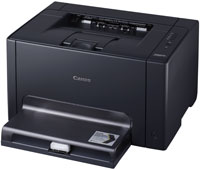
Canon i-SENSYS LBP7010C Colour Laser Printer for Windows
LBP7010C/7018C CAPT Printer Driver
Operating Systems
Windows 10 (64-bit), Windows 10 (32-bit), Windows 8.1 (64-bit), Windows 8.1 (32-bit), Windows 8 (64-bit), Windows 8 (32-bit), Windows 7 (64-bit), Windows 7 (32-bit), Windows Vista (64-bit), Windows Vista (32-bit), Windows XP (64-bit), Windows XP (32-bit)
Canon i-SENSYS LBP7018C Colour Laser Printer Driver – Software for Windows
Canon i-SENSYS LBP7018C Printer
LBP7010C/7018C CAPT Printer Driver
Language: English
Release date: 07/17/2015
Operating Systems
Windows 10 (64-bit), Windows 10 (32-bit) Windows 8.1 (64-bit), Windows 8.1 (32-bit) Windows 8 (64-bit), Windows 8 (32-bit) Windows 7 (64-bit), Windows 7 (32-bit) Windows Vista (64-bit), Windows Vista (32-bit) Windows XP (64-bit), Windows XP (32-bit)
his software is a CAPT printer driver for Canon LBP printers. Customers are also advised to download the Auto Shutdown Tool from the web site. Installing the Auto Shutdown Tool allows the settings for the auto shutdown function to be configured for this product.
The following instructions show you how to download the compressed files and decompress them.
Click the link. The download will start automatically.
Files are saved on your computer desktop.
Double-click the file to mount the Disk Image.
Double-click the mounted Disk Image.
Double-click the Installer file in the folder. Installation starts automatically.
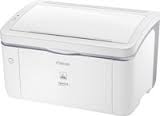
Canon i-SENSYS LBP3000 Driver for Windows
Version: R1.50V3.30 File Name: LBP3000_R150_V330_W64_uk_EN_1.exe Release date: 14 Feb, 2017 Language: English Compatible systems: Windows 10 (64-bit) Windows 8.1 (64-bit) Windows 8 (64-bit) Windows 7 (64-bit) Windows Vista (64-bit) Download Size: 10.5MB