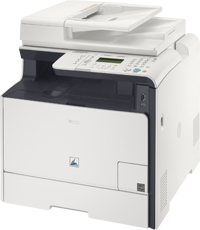
Canon i-SENSYS MF8330Cdn All-in-One Printer Driver for Mac
Mac CUPS UFRII MF Printer Driver
Details
The space-saving All-in-One solution for high performance, productive colour. Benefit from high performance and professional colour quality – boost your business productivity with this space & energy saving unit.
File Languages: English, Deutsch, Italiano, Nederlands, Français
Driver/Software Details
Name: o1592mux_m_ufrmf1051.dmg
File Size: 31.03MB
ReleaseD: 10-01-2015
Compatibility Systems
Mac OS X 10.5, Mac OS X 10.6, Mac OS X 10.7, OS X 10.8, OS X 10.9, OS X 10.10, OS X 10.11
Download Canon i-SENSYS LBP6030 Laser Printer Driver Download for Windows 11-10-8.1-8-7 (32bit-64bit) and Driver for Mac and Driver for Linux (32bit-64bit)
LBP6030w/LBP6030B/LBP6030 UFRII LT Printer Driver (Windows 64bit) and LBP6030w/LBP6030B/LBP6030 UFRII LT XPS Printer Driver ( Windows 32bit/64bit) – UFRII LT Printer Driver for Macintosh – UFRII LT Printer Driver Linux
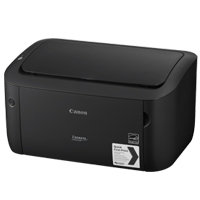
Canon i-SENSYS LBP6030 Printer
Canon i-SENSYS LBP6030 Printer Driver for Windows
Compatibility Systems: Windows 11, Windows 10 (32bit), 10 (64bit), Windows 8.1 (32bit), 8.1 (64bit), Windows 8 (32bit), 8 (64bit), Windows 7 (32bit), 7 (64bit), Vista (32bit), Vista (64bit),XP, WinXP (64bit)
Canon i-SENSYS LBP6030Driver Description for Windows
LBP6030w/LBP6030B/LBP6030 UFRII LT Printer Driver: When using in a network environment- First, configure the network settings using [MF/LBP Network Setup Tool]. After this step is complete, install the printer driver. When using with a USB connection-Only install the printer driver.
Canon i-SENSYS LBP6030 Printer Driver for MAC
Operating Systems: macOS Ventura 13, Monterey 12, macOS Big Sur 11, macOS Catalina 10.15, macOS Mojave 10.14, macOS High Sierra 10.13, macOS Sierra v10.12