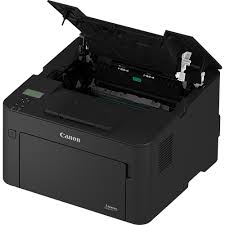
Canon i-SENSYS LBP162dw Driver for Windows 10-7

Canon i-SENSYS LBP162dw Driver for Windows 11-10-8.1-7 (32bit-64bit)

Generic Plus PCL6 Printer Driver, UFRII LT Printer Driver for Windows

Canon i-SENSYS LBP162dw Driver
Canon i-SENSYS LBP162dw Fast Easy-to-use Printers

It can print up to 28 pages per minute (A4) single-sided and up to 17.8 ipm per minute (A4) duplex. The i-SENSYS LBP162dw has a print quality of up to 1200 x 1200 dpi and a print resolution of up to 600 x 600 dpi. Google Cloud Print Compatible, iOS: AirPrint, Canon PRINT Business app, Android; Mopria certified, Canon Print Service Plugin, Canon PRINT Business app

Canon i-SENSYS LBP162dw Driver for Windows 10-7-8.1-11

Compatibility Systems: Windows 11, Windows 10 (32bit), 10 (64bit), Windows 8.1 (32bit), 8.1 (64bit), Windows 7 (32bit), 7 (64bit)

Driver NameVersionRelease dateFile SizeDownload Link
Generic Plus PCL6 Printer DriverV3.0011 September 202466.0 MBDownload
UFRII LT Printer DriverV30.8620 Jun, 202237.99 MBDownload
Canon i-SENSYS LBP162dw Driver Description for Windows

Generic Plus PCL6 Printer Driver:

Canon-developed Generic Plus PCL6 Printer Driver is a common driver that supports multiple Canon devices. It provides an optimal user interface for your device.

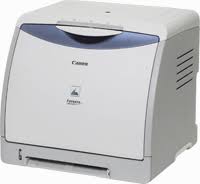
Canon LBP5000 Printer Driver

Canon LBP5000 Printer Driver Download for Windows 11-10-8.1-8-7-Vista (64bit)

LBP5000 CAPT Printer Driver for Microsoft Windows

Canon i-SENSYS LBP5000 Laser Printers

Canon LBP5000 Printer Driver Download for Windows

Compatibility Systems: Windows 11, Windows 10 (64bit), Windows 8.1 (64bit), Windows 8 (64bit), Windows 7 (64bit), Vista (64bit)

Driver NameVersionRelease dateFile SizeDownload Link
LBP5000 CAPT Printer DriverR1.50V3.3114 Feb, 201713 MBDownload
Canon i-SENSYS LBP5000 Driver Description for Windows

Details

LBP5000 CAPT Printer Driver

This software is only available in English.

Precaution When Using a USB Connection
Disconnect the USB cable that connects the device and computer before installing the driver.
Connect the USB cable after installing the driver.

Driver and application software files have been compressed.
The following instructions show you how to download the compressed files and decompress them.

  1. To download files, click the file link, click [Accept & Download], then select [Save] and specify the directory where you want to save the file. Click [Save] to start the file download.
  2. Downloaded files are saved in the specified folder in a self-extracting format (.exe format).
  3. Double-click the files to decompress them. A new folder will be created in the same folder. The new folder will have the same name as the compressed file.
  4. Double-click the decompressed Setup.exe file to start installation.

Canon iSENSYS LBP5000 Driver MAC

Compatible Systems: MacOS Sonoma 14, macOS Ventura 13, macOS Monterey 12, macOS Big Sur 11, macOS Catalina 10.15, macOS Mojave 10.14, macOS High Sierra 10.13

Driver NameVersionRelease dateFile SizeDownload Link
CAPT Printer Driver & UtilitiesV10.0.712 January 202472 MBDownload
Canon iSENSYS LBP5000 Driver MAC

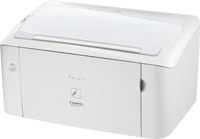
Canon i-SENSYS LBP3100 Drivers

Canon i-SENSYS LBP3100 A4 Mono Laser Printers

LBP3100 CAPT Printer Driver

Canon i-SENSYS LBP3100 Mono Laser Printer

Driver-Software

File version: R1.50V1.10
File name: LBP3100_3108_3150_R150_V110_W64_uk_EN_1.exe
Release date: 14 February 2017
Language: English

Operating Systems

Windows 10 (64-bit)
Windows 8.1 (64-bit)
Windows 8 (64-bit)
Windows 7 (64-bit)
Windows Vista (64-bit)
Windows XP (64-bit)

Download

File Size: 12.3 MB

Exit mobile version