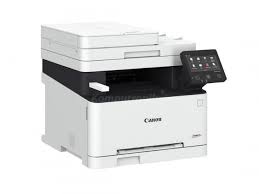
CANON i-SENSYS MF633Cdw Driver MAC

Canon i-SENSYS MF633Cdw Printer Driver Download for MAC OS 15-14-13-12-11-10.15-10.14

MF Printer Driver & Utilities for Mac

Canon i-SENSYS MF633Cdw MFP

CANON i-SENSYS MF633Cdw A comprehensive 3-in-1 colour laser multifunction printer with a 12.7 cm touchscreen and double-sided printing. It delivers sharp prints thanks to Canon’s V2 colour technology.

What’s in the box when you buy the Canon i-SENSYS MF633Cdw:
Cartridge 045 Black (1,400 pages)
Cartridge 045 Cyan/Magenta/Yellow starter (690 pages)
Power Supply cable
Getting Started Guide
User Software DVD – Rom
Warranty Card

CANON i-SENSYS MF633Cdw Printer Driver Download for MAC

Version: V10.11.12
File name: mac-mf-v101112-00.dmg
Release date: 13 September, 2024
Size: 36.0 MB
Operating systems: macOS 15 (Sequoia), macOS 14 (Sonoma), macOS 13 (Ventura), macOS 12 (Monterey), macOS 11 (Big Sur), macOS 10.15 (Catalina), macOS 10.14 (Mojave)

Download

The following instructions show you how to download the compressed files and decompress them.

  1. Click the link. The download will start automatically.
  2. Files are saved on your computer desktop.
  3. Double-click the file to mount the Disk Image.
  4. Double-click the mounted Disk Image.
  5. Double-click the Installer file in the folder. Installation starts automatically.

CANON i-SENSYS MF633Cdw Driver Download for Windows

Version: V5.401
File name: MF633CMFDriverV2181W64ukEN.exe
Release date: 03 December 2021
Size: 237.03 MB

Download

Compatibility Systems: Windows 11-Windows 10 (64-bit)-Windows 8.1 (64-bit)-Windows 7 (64-bit)
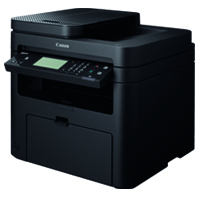
Canon i-SENSYS MF217w Driver Download

Canon i-SENSYS MF217w Printer Driver Download for Windows 11-10-8.1-8-7 (32bit-64bit)

i-SENSYS MF217w/MF216n/MF212w MFDrivers (UFR II / FAX / ScanGear)-UFR II/UFRII LT V4 Printer Driver

Canon i-SENSYS MF217w Printer

Canon i-SENSYS MF217w Printer Driver Download for Windows

i-SENSYS MF217w/MF216n/MF212w MFDrivers (UFR II / FAX / ScanGear)

Version: V4.50
File name: MF210MFDriverV450WPEN.exe
Release date: 26 November 2021
Size: 119 MB
Operating systems: Windows 11-Windows 10 (64-bit)-Windows 8.1 (64-bit)-Windows 8 (64-bit)-Windows 7 (64-bit)- Vista (64-bit)

Download

Driver Version : UFR II Printer Driver – V21.20, Fax Driver – V10.10 (MF217w/MF216n), ScanGear – V11.3

*Precaution When Using a USB Connection
Disconnect the USB cable that connects the device and computer before installing the driver.
Connect the USB cable after installing the driver.

Drivers and applications are compressed.
Download the file.

  • When clicking [Run] on the file download screen (file is not saved to disk)
  1. If the User Account Control prompt is displayed, click [Yes], and then click [Run] on the subsequent Security Alert screen.
  2. The Setup Wizard will start.
  3. After the Setup Wizard has started, follow the instructions on the screen to perform installation.
  • When clicking [Save] on the file download screen (file is saved to disk at specified location)
  1. Save the file to an apporopriate location, and then double-click the file (double-clicking the file will create a new folder in the same location).
  2. If the User Account Control prompt is displayed, click [Yes].
  3. The Setup Wizard will start.
  4. After the Setup Wizard has started, follow the instructions on the screen to perform installation.

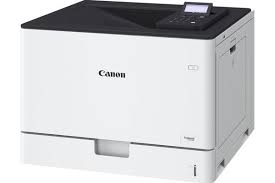
Canon i-SENSYS X C1946P Driver

Canon i-SENSYS X C1946P Printer Driver Download for Windows 11-10 (32bit-64bit)

Generic Plus PCL6 Printer Driver for Microsoft Windows

Canon i-SENSYS X C1946P MFP

The Canon i-SENSYS X C1946P is a high-speed, single-function A3 colour printer. It prints documents with exceptional quality and helps you meet high-volume printing demands. It’s especially time-saving.

With such a high-capacity device, you can transform and expand your printing processes and capabilities. Maximise output in high-volume printing environments and save valuable time.

Plus, save time with double-sided printing and print speeds of 46ppm (A4) and 26ppm (A3). Meet a variety of printing demands with versatile media support and print large quantities with an optional maximum paper capacity of 2,850.

Produce large, colourful files including superior-quality banners and posters using the free online Poster Artist software.
Protect your documents, devices and network with 360-degree security. Includes PIN-protected documents, secure boot and network and cloud protection.

Connect via Wi-Fi as standard and pair easily with Wi-Fi Direct. Print from your mobile device or tablet and connect to the cloud with native Microsoft Universal Print support.

Canon i-SENSYS X C1946P Printer Driver Download for Windows

This is a package-aware driver.
Some limitations exist when using this driver in a point-and-print environment.

The Canon-developed Generic Plus PCL6 Printer Driver is a common driver that supports multiple Canon devices.
It provides an optimal user interface for your device.

Version: V3.00
File name: GPlus_PCL6_Driver_V300_32_64_00.exe
Release date: 25 March, 2024
Size: 66.1 MB

DOWNLOAD

Operating systems: Windows 11- Windows 10 (32-bit)- Windows 10 (64-bit)- Windows Server 2016 (64-bit)- Windows Server 2019 (64-bit)- Windows Server 2022 (64-bit)

Exit mobile version