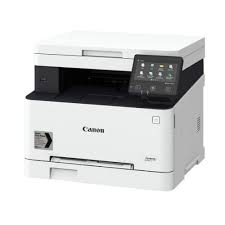
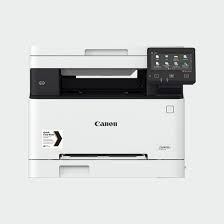
Download Canon i-SENSYS MF641Cdw Printer Driver for Windows 11/10/8.1/7 (32bit)-(64bit)
MF641Cw MFDrivers (Generic Plus UFR II / ScanGear) for Microsoft Windows
Canon i-SENSYS MF641Cdw
Canon i-SENSYS MF641Cdw Driver Windows
Version: V6.404 Release date: 3 Dec, 2021 File name: MF641CMFDriverV6404WP.exe Compatibility Systems: Windows 11, Windows 10 (32-bit), Windows 10 (64-bit), Windows 8.1 (32-bit), Windows 8.1 (64-bit), Windows 7, Windows 7 (64-bit) Download Size: 145.05 MB
Canon iSENSYS LBP220 Driver Windows
Version: V2.50 File name: GPlus_PCL6_Driver_V250_32_64_00.exe Post date: 24 Nov, 2021 Systems: Windows 11-10-10×64-8.1-8.1×64-7-7×64 Download Size: 57.65 MB
Download Canon i-SENSYS MF640C Colour Printer Series Driver for Windows 11-10-8.1-8-7 (32bit-64bit)
MF641Cw MFDrivers (Generic Plus UFR II / ScanGear) for Microsoft Windows
Canon i-SENSYS MF640C Printer
The Canon i-SENSYS MF640 Series delivers high-quality colour printing, scanning, copying and faxing. Hardworking, resilient and fast, they also feature intelligent mobile connectivity options.
Canon i-SENSYS MF-640C Printer Driver for Windows
Compatibility Systems: Windows 11, Windows 10 (64bit), Windows 8.1 (64bit), Windows 8 (64bit), Windows 7 (64bit)
Driver Name
Version
Release date
File Size
Operating systems
Download Link
MF641Cw MFDrivers
V6.404
24 March, 2022
145 MB
Windows 11 – Windows10x64 – Windows 8.1×64 – Windows 7×64
Canon i-SENSYS MF-640CDriver Description for Windows
Setup
Driver Version : Generic Plus UFR II Printer Driver – V1.20, ScanGear – V11.3
*Precaution When Using a USB Connection Disconnect the USB cable that connects the device and computer before installing the driver. Connect the USB cable after installing the driver.
Drivers and applications are compressed. Download the file.
* When clicking [Run] on the file download screen (file is not saved to disk) 1. If the User Account Control prompt is displayed, click [Yes], and then click [Run] on the subsequent Security Alert screen. 2. The Setup Wizard will start. 3. After the Setup Wizard has started, follow the instructions on the screen to perform installation.
* When clicking [Save] on the file download screen (file is saved to disk at specified location) 1. Save the file to an apporopriate location, and then double-click the file (double-clicking the file will create a new folder in the same location). 2. If the User Account Control prompt is displayed, click [Yes]. 3. The Setup Wizard will start. 4. After the Setup Wizard has started, follow the instructions on the screen to perform installation.
Canon i-SENSYS MF744Cdw Laser Printer Driver for Windows Download Operating Systems: Windows 10-10×64-8.1-8.1×64-8-8×64-7-7×64
Canon iSENSYS MF 449x Driver for Windows 11/10/8.1/7 (32bit)(64bit)
The Canon i-SENSYS MF449x Generic Plus PCL6 Printer Driver and MF449x/MF446x/MF445dw/MF443dw MFDrivers (Generic Plus UFR II / Generic Plus PCL6 / Generic Plus PS3 / Generic FAX / ScanGear)
Printer Canon i-SENSYS MF449x
Canon i-SENSYS MF449x Driver Windows
Compatibility Systems: Windows 11, Windows 10 (32bit), 10 (64bit), Windows 8.1 (32bit), 8.1 (64bit), Windows 7 (32bit), 7 (64bit)
Canon i-SENSYS MF449x Driver Description for Windows
Generic Plus PCL6 Printer Driver: This is a package-aware driver. Some limitations exist when using this driver in a point-and-print environment; please check the [Important Information] tab before using.
Windows Driver for Canon iSENSYS MF 744 Cdw
Generic Plus PS3 Printer Driver Version: V2.02 Name: UFRII_Driver_V1500_32_64_EN_02.exe Release date: May 23, 2019
Operating Systems: Microsoft Windows 10 (32-bit), Windows 10 (64-bit), Windows 8.1 (32-bit), Windows 8.1 (64-bit), Windows 8 (32-bit), Windows 8 (64-bit), Windows 7 (32-bit), Windows 7 (64-bit)