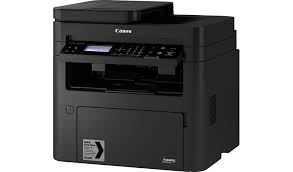
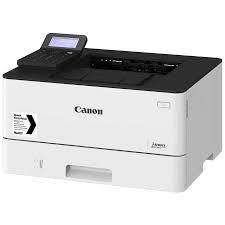
Driver Canon iSensys MF 264 dw

Download Canon i-Sensys MF264dw Printer Driver for Windows 10/8.1/8/7 32bit-64bit

Generic Plus PCL6 Printer Driver for Microsoft windows

Canon i-Sensys MF264dw

Multifunction, Wireless Laser Printer, AirPrint Canon iSensys MF264dw. Print at speeds of up to 30 pages per minute. Supports mobile solutions, including apple Air Print, Canon Print business, Mopria Print service, and Google cloud Print. Connect mobile devices without a router using Wi Fi Direct connection.

Canon i-Sensys MF264dw Driver for Windows

Version: V2.50
Post date: 24 November, 2021
File name: GPlus_PCL6_Driver_V250_32_64_00.exe
Compatibility Systems:Windows 11, Windows 10 (32bit-64-bit)/ Windows 8.1 (32-bit/64-bit)/ Windows 7 (32-bit/64-bit)
Download
Size: 57.61MB

Canon i-SENSYS MF5880dn Driver for Windows

Version: V20.15
File name: MF5880dnPCLMFDriversV2015W32EN.exe
Release date: 25 Dec, 2015
Operating systems: Windows 10- Windows 8.1, Windows 8- Windows 7- Vistat- WinXP
Download
Size: 41 MB

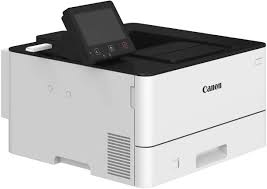
Canon i SENSYS LBP 228x Driver

Download Canon i-SENSYS LBP228x Laser Printer Driver for Windows 11/10/8.1/7 (32bit-64bit)

Generic Plus PCL6 Printer Driver for Microsoft Windows

Laser Printer Canon i-SENSYS LBP228x

Canon i-SENSYS LBP228x can write double-sided. Compatible with your iOS and Android devices with support for Wi-Fi, AirPrint, Mopria and Google Cloud Print. It has a 12.7 cm color touch screen that provides ease of use. Compatible with iOS, Android, MAC, Windows.

Canon i-SENSYS LBP228x Driver for Windows

The Canon-developed Generic Plus PCL6 Printer Driver is a common driver that supports multiple Canon devices. It provides an optimal user interface for your device.

Version: V3.00
File name: GPlus_PCL6_Driver_V300_32_64_00.exe
Released: 11 September 2024
Operating Systems: Windows 11- Windows 10 (32-bit) Windows 10 (64-bit)
Download
Size: 66.15 MB

Precaution When Using a USB Connection
Disconnect the USB cable that connects the device and computer before installing the driver.
Connect the USB cable after installing the driver.

Driver and application software files have been compressed.
The following instructions show you how to download the compressed files and decompress them.

  1. To download files, click the file link, select [Save], and specify the directory where you want to save the file. The download will start automatically.
  2. Downloaded files are saved in the specified folder in a self-extracting format (.exe format).
  3. Double-click the files to decompress them. A new folder will be created in the same folder. The new folder will have the same name as the compressed file.
  4. Double-click the decompressed Setup.exe file to start installation.

Canon i-SENSYS LBP654Cx Driver for Windows

Version: V7.1
File name: UFRII_V4_PrinterDriver_V71_02.exe
Release date: April 17, 2019
Compatibility Systems: Windows 10 (32-bit), Windows 10 (64-bit), Windows 8.1 (32-bit), Windows 8.1 (64-bit)
Download
Size: 107.99 MB

Driver Canon iSENSYS LBP 223 dw

Canon i-SENSYS LBP223dw Driver for Windows 11/10/8.1/7 (32bit-64bit)

Generic Plus PCL6 Printer Driver-Generic Plus UFR II Printer Driver for Microsoft Windows

Canon i-SENSYS LBP223dw Laser Printer

I-SENSYS LBP223dw laser printer Ideal for small or medium-sized businesses. The 5-inch LCD touch screen allows you to easily customize the function buttons. In this way, you can meet your needs and increase productivity by quickly controlling daily tasks with a single button. It can reach print speeds of up to 33 pages per minute for A4 only. It also has wireless connectivity.

Driver Canon iSENSYS LBP 223 dw for Windows

Compatibility Systems: Windows 11, Windows 10 (32bit), 10 (64bit), Windows 8.1 (32bit), 8.1 (64bit), Windows 7 (32bit), 7 (64bit)

Driver NameVersionRelease dateFile SizeDownload Link
Generic Plus PCL6 Printer Driver2.6030 June, 202258.1 MBDownload
Generic Plus UFR II Printer Driverv2.102-Mar-202639.58 MBDownload
Canon i-SENSYS LBP223dw Driver Description for Windows

Generic Plus PCL6 Printer Driver: This is a package-aware driver. Some limitations exist when using this driver in a point-and-print environment; please check the [Important Information] tab before using.

The Canon-developed Generic Plus PCL6 Printer Driver is a common driver that supports multiple Canon devices.
It provides an optimal user interface for your device.

*Precaution When Using a USB Connection
Disconnect the USB cable that connects the device and computer before installing the driver.
Connect the USB cable after installing the driver.

Driver and application software files have been compressed.
The following instructions show you how to download the compressed files and decompress them.

  1. To download files, click the file link, select [Save], and specify the directory where you want to save the file. The download will start automatically.
  2. Downloaded files are saved in the specified folder in a self-extracting format (.exe format).
  3. Double-click the files to decompress them. A new folder will be created in the same folder. The new folder will have the same name as the compressed file.
  4. Double-click the decompressed Setup.exe file to start installation.
Exit mobile version