Driver Version : UFR II Printer Driver – V21.20, Fax Driver – V10.10 (MF217w/MF216n), ScanGear – V11.3
*Precaution When Using a USB Connection Disconnect the USB cable that connects the device and computer before installing the driver. Connect the USB cable after installing the driver.
Drivers and applications are compressed. Download the file.
When clicking [Run] on the file download screen (file is not saved to disk)
If the User Account Control prompt is displayed, click [Yes], and then click [Run] on the subsequent Security Alert screen.
The Setup Wizard will start.
After the Setup Wizard has started, follow the instructions on the screen to perform installation.
When clicking [Save] on the file download screen (file is saved to disk at specified location)
Save the file to an apporopriate location, and then double-click the file (double-clicking the file will create a new folder in the same location).
If the User Account Control prompt is displayed, click [Yes].
The Setup Wizard will start.
After the Setup Wizard has started, follow the instructions on the screen to perform installation.
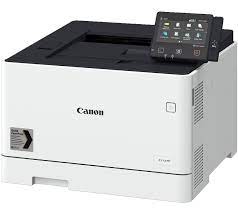
Canon i-SENSYS X C1946P Printer Driver Download for Windows 11-10 (32bit-64bit)
Generic Plus PCL6 Printer Driver for Microsoft Windows
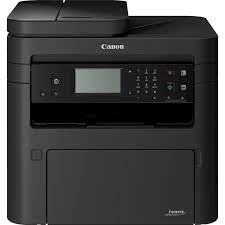
Canon i-SENSYS X C1946P MFP
The Canon i-SENSYS X C1946P is a high-speed, single-function A3 colour printer. It prints documents with exceptional quality and helps you meet high-volume printing demands. It’s especially time-saving.
With such a high-capacity device, you can transform and expand your printing processes and capabilities. Maximise output in high-volume printing environments and save valuable time.
Plus, save time with double-sided printing and print speeds of 46ppm (A4) and 26ppm (A3). Meet a variety of printing demands with versatile media support and print large quantities with an optional maximum paper capacity of 2,850.
Produce large, colourful files including superior-quality banners and posters using the free online Poster Artist software. Protect your documents, devices and network with 360-degree security. Includes PIN-protected documents, secure boot and network and cloud protection.
Connect via Wi-Fi as standard and pair easily with Wi-Fi Direct. Print from your mobile device or tablet and connect to the cloud with native Microsoft Universal Print support.
Canon i-SENSYS X C1946P Printer Driver Download for Windows
This is a package-aware driver. Some limitations exist when using this driver in a point-and-print environment.
The Canon-developed Generic Plus PCL6 Printer Driver is a common driver that supports multiple Canon devices. It provides an optimal user interface for your device.
Operating systems: Windows 11- Windows 10 (32-bit)- Windows 10 (64-bit)- Windows Server 2016 (64-bit)- Windows Server 2019 (64-bit)- Windows Server 2022 (64-bit)
Canon i-SENSYS MF754CDW Printer Driver Download for Windows 11-10-8.1-7 (32bit-64bit)
Generic Plus PCL6 Printer Driver and MF754Cdw MFDrivers (Generic Plus UFR II / Generic Plus PCL6 / Generic Plus PS3 / Generic FAX / ScanGear) for Microsoft Windows
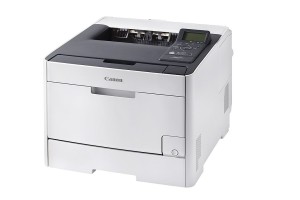
Canon i-Sensys MF754CDW Laser MFP
The Canon i-Sensys MF754Cdw is a multifunction color laser printer. It is designed for your printing, copying, scanning and faxing jobs. It has a 12.7 cm LCD color touch screen for ease of use. Print Resolution is up to 1,200 x 1,200 dpi. It can write 33 pages per minute. It also has 1 GB memory. Advanced Printing Features Encrypted Secure Print, Secure Print Printing from USB memory key (JPEG/TIFF/PDF), Cloud printing (Dropbox, Google Drive, OneDrive)2 (PDF/JPEG), Microsoft Universal Print support, iOS: AirPrint, Canon PRINT Business app, Android; Mopria certified, Canon Print Service Plugin features Canon PRINT Business application.
Canon i-SENSYS MF754CDW Driver Download for Windows
Compatibility Systems: Windows 11, Windows 10 (32bit), 10 (64bit), Windows 8.1 (32bit), 8.1 (64bit), Windows 8 (32bit), 8 (64bit), Windows 7 (32bit), 7 (64bit)
Canon i-SENSYS MF752Cdw Driver Description for Windows
Generic Plus PCL6 Printer Driver: The Canon-developed Generic Plus PCL6 Printer Driver is a common driver that supports multiple Canon devices. It provides an optimal user interface for your device.
Setup
To download files, click the file link, select [Save], and specify the directory where you want to save the file. The download will start automatically.
Downloaded files are saved in the specified folder in a self-extracting format (.exe format).
Double-click the files to decompress them. A new folder will be created in the same folder. The new folder will have the same name as the compressed file.
Double-click the decompressed Setup.exe file to start installation.
MF754Cdw/ MF752Cdw MFDrivers: Generic Plus UFR II Printer Driver – V2.51, Generic Plus PCL6 Printer Driver – V2.51, Generic Plus PS3 Printer Driver – V2.51 (MF754Cdw), Generic FAX Driver – V10.45 (MF754Cdw), ScanGear – V11.3
Precaution When Using a USB Connection Disconnect the USB cable that connects the device and computer before installing the driver. Connect the USB cable after installing the driver. Drivers and applications are compressed. Download the file.
When clicking [Run] on the file download screen (file is not saved to disk)
If the User Account Control prompt is displayed, click [Yes], and then click [Run] on the subsequent Security Alert screen.
The Setup Wizard will start.
After the Setup Wizard has started, follow the instructions on the screen to perform installation.
When clicking [Save] on the file download screen (file is saved to disk at specified location)
Save the file to an apporopriate location, and then double-click the file (double-clicking the file will create a new folder in the same location).
If the User Account Control prompt is displayed, click [Yes].
The Setup Wizard will start.
After the Setup Wizard has started, follow the instructions on the screen to perform installation.
Canon i-SENSYS MF752CdwDriver for Linux
Operating Systems: Linux (32-bit), Linux (64-bit), Linux ARM, Linux MIPS