Driver Canon iSENSYS X 1643P

Download Canon i-SENSYS X 1643P Printer Driver for Windows 10-8.1-7 [32bit & 64bit]

Generic Plus PCL6 Printer Driver for Microsoft Windows
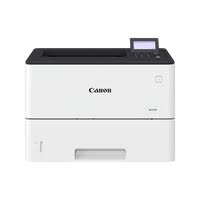
i-SENSYS X 1643P

Canon i-SENSYS X 1643P Driver for Windows

Generic Plus PCL6 Printer Driver developed by Canon is a common driver that supports multiple Canon devices. It provides the most suitable user interface for your device.

Version: V2.40
File name: GPlus_PCL6_Driver_V240_32_64_00.exe
Post Date: 9 June, 2021
Operating System: Windows 10 (32-bit) Windows 10 (64-bit) Windows 8.1 (32-bit) Windows 8.1 (64-bit) Windows 7 (32-bit) Windows 7 (64-bit)
Download
Size: 56.75 MB

Canon i-SENSYS LBP162dw Driver for Windows 10-7

Version: V1.51
Name: GPlus_PCL6_Driver_V151_32_64_00.exe
Relase Date: 10/11/2018
Compatibility Systems: Windows 10 (32-bit) Windows 10 (64-bit) Windows 8.1 (32-bit) Windows 8.1 (64-bit) Windows 7 (32-bit) Windows 7 (64-bit)
Download
Size: 58.04 MB
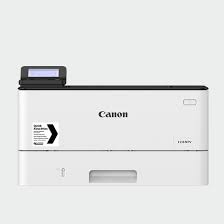
Driver Canon iSENSYS X 1238Pr

Download Canon i-SENSYS X 1238Pr Printer Driver for Windows 10-8.1-7 (32bit-64bit)

Generic Plus PCL6 Printer Driver for Microsoft Windows

iSENSYS X 1238Pr

Canon i-SENSYS X 1238Pr Driver for Windows

The Canon-developed Generic Plus PCL6 Printer Driver is a common driver that supports multiple Canon devices. It provides an optimal user interface for your device.

Version: V2.40
File name: GPlus_PCL6_Driver_V240_32_64_00.exe
Relased: Jun 9, 2021
Compatible systems: Windows 10 (32-bit) Windows 10 (64-bit) Windows 8.1 (32-bit) Windows 8.1 (64-bit) Windows 7 (32-bit) Windows 7 (64-bit)
Download
Size: 56.70 MB

Canon i-SENSYS MF8080Cw Driver for Windows 64bit

Version: V20.55
Post date: 1 Aug, 2019
Name: MF8080CwMFDriversV2055W64EN.exe
Language: English
Operating systems: Windows 10×64 Windows 8.1×64 Windows 8×64 Windows 7×64 Vistax64 WinXPx64
Download
Size: 44.74 MB

Driver Canon iSENSYS LBP 852 Cx

Download Canon i-SENSYS LBP852Cx Printer Driver for Windows 10-8.1-7 32bit-64bit

Generic Plus PCL6 Printer Driver and Generic Plus UFR II Printer Driver

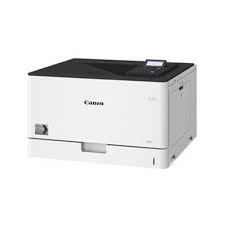
i-SENSYS LBP852Cx

t prints 38 pages per minute single-sided A4. Compatible with your iOS and Android devices with support for Wi-Fi, AirPrint, Mopria and Google Cloud Print. i-SENSYS LBP852Cx It has a 12.7 cm color touch screen.

Canon i-SENSYS LBP852Cx PCL6 Driver for Windows

Version: V2.40
File name: GPlus_PCL6_Driver_V240_32_64_00.exe
Release date: June 9, 2021
Operating system(s) Windows 10 (32-bit) Windows 10 (64-bit) Windows 8.1 (32-bit) Windows 8.1 (64-bit) Windows 7 (32-bit) Windows 7 (64-bit)
Download
Size: 56.71 MB

Canon i-SENSYS LBP621Cw Generic Plus UFR II Printer Driver for Windows

Version: V3.40
File name : GPlus_UFRII_Driver_V340_W64_00.exe
Post date: 02-Mar-2026
Operating systems: Windows 10 (32-bit) Windows 10 (64-bit) Windows 8.1 (32-bit) Windows 8.1 (64-bit)
Download
Size: 38.6 MB

Precaution When Using a USB Connection
Disconnect the USB cable that connects the device and computer before installing the driver.
Connect the USB cable after installing the driver.

Driver and application software files have been compressed.
The following instructions show you how to download the compressed files and decompress them.

  1. To download files, click the file link, select [Save], and specify the directory where you want to save the file.The download will start automatically.
  2. Downloaded files are saved in the specified folder in a self-extracting format (.exe format).
  3. Double-click the files to decompress them. A new folder will be created in the same folder. The new folder will have the same name as the compressed file.
  4. Double-click the decompressed Setup.exe file to start installation.
Exit mobile version