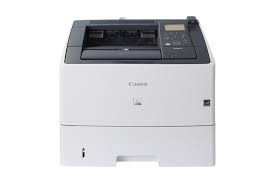
Canon i-SENSYS LBP613Cdw Driver

Download Canon i-SENSYS LBP613Cdw Printer Driver for Windows 11-10-8.1-8-7 (32bit-64bit) – Mac Driver (macOS 12, 11, 10.15, 10.14, 10.13, v10.12)

  • Generic Plus PCL6 Printer Driver- Generic UFR II V4 Printer Driver for Microsoft Windows
  • UFR II/UFRII LT Printer Driver & Utilities for Macintosh
  • UFR II/UFRII LT Printer Driver for Linux
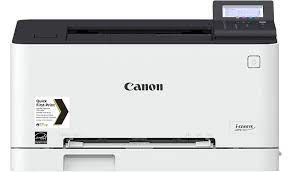
Canon i-SENSYS LBP613Cdw

Canon i-SENSYS LBP613Cdw Printer Driver for Windows

Compatibility Systems: Windows 11, Windows 10 (32bit), 10 (64bit), Windows 8.1 (32bit), 8.1 (64bit), Windows 8 (32bit), 8 (64bit), Windows 7 (32bit), 7 (64bit), Vista (32bit), Vista (64bit),XP, WinXP (64bit)

Driver NameVersionRelease dateFile SizeOperating systemsDownload Link
Generic Plus PCL6 Printer DriverV2.6030 June, 202258.1 MBWindows 11-10 (32bit)-10 (64bit) – 8.1-8.1×64 -8-8×64 -7-7×64Download
LBP673Cdw Printer Driver5.90Oct 4, 202118.36 MBWindows 11 – Windows10-10×64 – Windows 8.1-8.1×64Download
Canon i-SENSYS LBP613Cdw Driver Description for Windows

Generic Plus PCL6 Printer Driver: The Canon-developed PCL6 printer driver is a widely-used driver in office environments, which allows for efficient print processing from your computer, as the printer is responsible for the bulk of print data processing.

Precaution When Using a USB Connection
Disconnect the USB cable that connects the device and computer before installing the driver.
Connect the USB cable after installing the driver.

Driver and application software files have been compressed.
The following instructions show you how to download the compressed files and decompress them.

  1. To download files, click the file link, select [Save], and specify the directory where you want to save the file. The download will start automatically.
  2. Downloaded files are saved in the specified folder in a self-extracting format (.exe format).
  3. Double-click the files to decompress them. A new folder will be created in the same folder. The new folder will have the same name as the compressed file.
  4. Double-click the decompressed Setup.exe file to start installation.

Generic UFR II V4 Printer Driver:

This is the Generic UFR II V4 Printer Driver. Access the various printing functions of Canon devices from the print settings screen of this driver. To use the Canon specific print settings of this driver with apps, you should also install the Canon Office Printer Utility which is available from the Windows Store. Information about how to install and use this driver, as well as the details of each function, can be found in the e-manual, which is available here: canon.com/oip-manual

Canon i-SENSYS LBP613Cdw Printer Driver for MAC

Operating Systems: macOS 13, Monterey 12, macOS Big Sur 11, macOS Catalina 10.15, macOS Mojave 10.14, macOS High Sierra 10.13, macOS Sierra v10.12

Driver NameVersionRelease dateCompatible SystemsFile SizeDownload Link
UFR II/UFRII LT Printer Driver & Utilities10.15.709-Jan-2026MacOS 26, 15, 14, 13, 12, 11, 10.15, 10.14, 10.13, 10.1276.2MBDownload
Canon imageCLASS MF451dw Driver Description for MAC

The following instructions show you how to download the compressed files and decompress them.

  1. Click the link. The download will start automatically.
  2. Files are saved on your computer desktop.
  3. Double-click the file to mount the Disk Image.
  4. Double-click the mounted Disk Image.
  5. Double-click the Installer file in the folder. Installation starts automatically.

Canon i-SENSYS LBP613Cdw Printer Driver for Linux

Operating Systems: Linux 32-bit/64-bit, Linux ARM, Linux MIPS
Driver NameVersionRelease dateFile SizeDownload Link
UFR II/UFRII LT Printer Driver
V6.0011 Sep, 202464.01 MBDownload
CQue TGZ Driver4.0.1130 May 202315.0 MBDownload
Canon i-SENSYS LBP613Cdw Printer Description for Linux

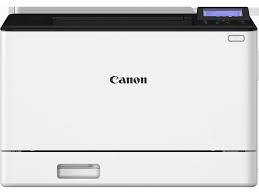
Canon i-SENSYS LBP673Cdw Printer Driver

Download Canon i-SENSYS LBP673Cdw Laser Printer Driver for Windows (11/10/10 x64/8.1/8.1 x64/7/7 x64) and MAC OS X (14, 13, 12, 11, 10.15, 10.14)

Generic Plus PCL6 Printer Driver for Microsoft Windows and PS Printer Driver & Utilities-UFR II/UFRII LT Printer Driver & Utilities for Macintosh

Canon Laser Printer i-SENSYS LBP673Cdw

The printer capable of color laser printing has a print resolution of up to 1,200 x 1,200 dpi. It can print up to 33 pages per minute in A4 size. Encrypted Secure Print- Print from USB memory key (JPEG/TIFF/PDF)- Microsoft Universal Print support- iOS: AirPrint, Canon PRINT Business app and Android; Mopria certified, Canon Print Service plug-in, Canon PRINT Business app features.

Canon i-SENSYS LBP673Cdw Printer Driver for Windows

Compatibility Systems: Windows 11, Windows 10 (64bit)

Driver NameVersionRelease dateFile SizeOperating systemsDownload Link
MF455dw MFDrivers V7.2026 Apr, 2022271.65 MBWindows 11-10-10×64Download
Generic Plus PCL6 Printer DriverV3.0009/13/202435.2 MBWindows 11-10-10×64-8.1-8.1×64Download
Canon imageCLASS MF451dw Driver Description for Windows

MF455dw MFDrivers (Generic Plus UFR II / Generic Plus PCL6 / Generic Plus PS3 / Generic FAX / ScanGear): Generic Plus UFR II Printer Driver – V2.40, Generic Plus PCL6 Printer Driver – V2.40, Generic Plus PS3 Printer Driver – V2.40, Generic FAX Driver – V10.45, ScanGear – V11.3 *Precaution When Using a USB Connection
Disconnect the USB cable that connects the device and computer before installing the driver. Connect the USB cable after installing the driver. Drivers and applications are compressed. Download the file. * When clicking [Run] on the file download screen (file is not saved to disk)

  1. If the User Account Control prompt is displayed, click [Yes], and then click [Run] on the subsequent Security Alert screen.
  2. The Setup Wizard will start.
  3. After the Setup Wizard has started, follow the instructions on the screen to perform installation

Canon i-SENSYS LBP673Cdw Printer Driver for MAC

Operating Systems: macOS 13, Monterey 12, macOS Big Sur 11, macOS Catalina 10.15, macOS Mojave 10.14, macOS High Sierra 10.13, macOS Sierra v10.12

Driver NameVersionRelease dateCompatible SystemsFile SizeDownload Link
UFR II/UFRII LT Printer Driver & Utilities10.15.709-Jan-2026MacOS 26, 15, 14, 13, 12, 11, 10.15, 10.14, 10.13, 10.1276.17 MBDownload
Canon imageRUNNER C350i Driver Decription for MAC

The following instructions show you how to download the compressed files and decompress them.

PS Printer Driver & Utilities for Macintosh: The following instructions show you how to download the compressed files and decompress them.

  • Click the link. The download will start automatically.
  • Files are saved on your computer desktop.
  • Double-click the file to mount the Disk Image.
  • Double-click the mounted Disk Image.
  • Double-click the Installer file in the folder. Installation starts automatically.

Canon i-SENSYS LBP6780x Driver MAC

Download Canon i-SENSYS LBP6780x Printers Driver for MAC OS X 26, 15, 14, 13, 12, 11

UFR II/UFRII LT Printer Driver & Utilities, PS Printer Driver & Utilities, Fax Driver & Utilities

Canon i-SENSYS LBP6780x MFP

Canon i-SENSYS LBP6780x Driver for MAC

Compatibility Systems: macOS Tahoe 26, macOS Sequoia 15, macOS 14 (Sonoma), macOS Ventura 13, Monterey 12, macOS Big Sur 11

Driver NameVersionRelease dateFile SizeDownload Link
UFR II/UFRII LT Printer Driver & UtilitiesV10.19.2417 Apr, 202676.0 MBDownload
PS Printer Driver & UtilitiesV4.17.2317 April 202648.01MBDownload
Fax Driver & UtilitiesV4.15.2317 Apr, 202619 MBDownload
Canon i-SENSYS LBP6780x Driver Description for MAC

The following instructions show you how to download the compressed files and decompress them.

  1. Click the link. The download will start automatically.
  2. Files are saved on your computer desktop.
  3. Double-click the file to mount the Disk Image.
  4. Double-click the mounted Disk Image.
  5. Double-click the Installer file in the folder. Installation starts automatically.

Canon i-SENSYS LBP6780x Printer Driver for Windows

Version. V2.1
Operating systems: Windows 11-10-10×64

Download

Size: 37.01MB

Exit mobile version