
Canon MAXIFY iB4140 Printer Driver for MAC OS X 15, 14, 13, 12, 11, 10.15, 10.14, 10.13, 10.12, 10.11, 10.10
iB4100 series Full Driver & Software Package (Mac)
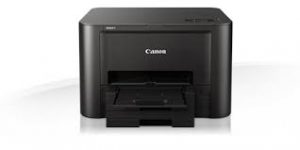
Canon MAXIFY iB4140 High Speed, High Volume Business Printer
Canon MAXIFY iB4140 Driver for MAC
This file will download and install the drivers, application or manual you need to set up the full functionality of your product.
File name : mac-ib4100-1_6-mcd.dmg
File version : 1.6
Size : 7.52 MB
Release Date: 15-Apr-2025
Operating Systems: macOS Sequoia 15, macOS Sonoma 14, macOS Ventura 13, macOS Monterey 12, macOS Big Sur 11, macOS Catalina 10.15, macOS Mojave 10.14, macOS High Sierra 10.13, macOS Sierra v10.12.1 or later, OS X El Capitan v10.11, OS X Yosemite v10.10.5
Download / Installation Procedures
- Download the file. For the location where the file is saved, check the computer settings.
- Double-click the downloaded file and mount it on the Disk Image.
- Double-click the mounted Disk Image.
- Double-click the “Setup” file to launch the setup screen. By following the instructions on the screen, install the software and do the connection settings for your product.
Canon MAXIFY iB4140 Driver for Windows
File version: 1.0
File name: win-ib4100-1_0-n_mcd.exe
Released: 11-Mar-2025
Operating systems
Microsoft Windows 10 (32-bit), Windows 10 (64-bit), Windows 8.1 (32-bit), Windows 8.1 (64-bit), Windows 8 (32-bit), Windows 8 (64-bit), Windows 7 (32-bit), Windows 7 (64-bit), Windows Vista (32-bit), Windows Vista (64-bit)
Size: 55.90 MB