When using in a network environment / First, configure the network settings using (MF/LBP Network Setup Tool). After this step is complete, install the printer driver.
When using with a USB connection / Only install the printer driver.
Driver-Software
File version: V21.45
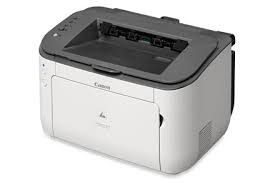
File name: LBP6230_V2145_W64_uk_EN.exe
Release date: 17 July 2015
Language: English
Compatibility Systems
Windows 10 (64-bit)
Windows 8.1 (64-bit)
Windows 8 (64-bit)
Windows 7 (64-bit)
Windows Vista (64-bit)
Windows XP (64-bit)
Download Canon PIXMA MG4240 Printer Driver for MAC (OS v10.7, 10.8, 10.9, 10.10, 10.11, 10.12, 10.13, 10.14, 10.15, 11, 12)
MG4200 series CUPS Printer Driver & MG4200 series Scanner Driver for MAC OS
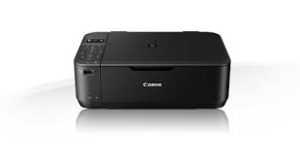
Printer Canon PIXMA MG4240
Canon PIXMA MG4240 Printer Driver for MAC
Operating Systems: macOS Monterey 12, macOS Big Sur 11, macOS Catalina 10.15, macOS Mojave 10.14, macOS High Sierra 10.13, macOS Sierra v10.12.1 or later, OS X El Capitan v10.11, OS X Yosemite v10.10, OS X Mavericks v10.9, OS X Mountain Lion v10.8.5, OS X Lion v10.7.5
Driver Name
Version
Release date
File Size
Operating systems
Download Link
MG4200 series CUPS Printer Driver
16.40.1.0a
10.25.21
13.86 MB
macOS 12, 11, 10.15, 10.14, 10.13, v10.12.1, OS X v10.11, OS X v10.10, OS X v10.9, OS X v10.8.5, OS X v10.7.5
Pixma MG4200 series Scanner Driver: This file is a TWAIN-compliant scanner driver for Canon color image scanner. You can install the following items of the software: ScanGear: The TWAIN-compliant scanner driver for Canon color image scanner. IJ Scan Utility: The software that allows you to easily scan photos, documents, etc. IJ Scanner Selector EX: The software that performs the setup for scanning in the network connection.
Installation Procedures
-Download the file. For the location where the file is saved, check the computer settings. -Double-click the downloaded file and mount it on the Disk Image. -Double-click the mounted Disk Image.
Be sure to connect your PC to the Internet while performing the following:
1. Download the file. For the location where the file is saved, check the computer settings.
2. Double-click the downloaded .exe file. It will be decompressed and the Setup screen will be displayed. Follow the instructions to install the software and perform the necessary settings.
Driver/Software
File version: 1.0
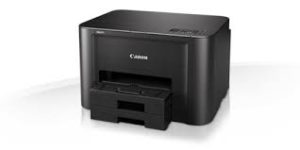
File name: win-ib4100-1_0-n_mcd.exe
Relased: 08 July 2016
Operating systems
Microsoft Windows 10 (32-bit)
Microsoft Windows 10 (64-bit)
Microsoft Windows 8.1 (32-bit)
Microsoft Windows 8.1 (64-bit)
Microsoft Windows 8 (32-bit)
Microsoft Windows 8 (64-bit)
Microsoft Windows 7 (32-bit)
Microsoft Windows 7 (64-bit)
Microsoft Windows Vista (32-bit)
Microsoft Windows Vista (64-bit)