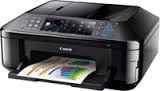
CANON i-SENSYS MF411dw driver

CANON i-SENSYS MF411dw Driver for Windows 11-10-8.1-8-7 (32bit/64bit)

i-SENSYS MF419x/MF418x/MF416dw/MF411dw MFDrivers (UFR II / PCL / PS3 / FAX / ScanGear)-Generic Plus PCL6 Printer Driver
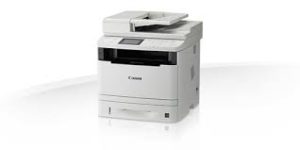
CANON i-SENSYS MF411dw Driver
CANON i-SENSYS MF411dw Printer

CANON i-SENSYS MF411dw Driver for Windows

Compatibility Systems: Windows 11, Windows 10 (32bit), 10 (64bit), Windows 8.1 (32bit), 8.1 (64bit), Windows 7 (32bit), 7 (64bit)

Driver NameVersionRelease dateFile SizeOperating systemsDownload Link
i-SENSYS MF419x/MF418x/MF416dw/MF411dw MFDrivers (UFR II / PCL / PS3 / FAX / ScanGear)V4.9021 December 2021245.1 MBWindows 11- Windows 10×64- Windows 8.1×64- Windows 8×64-
Windows 7×64
Download
Generic Plus PCL6 Printer DriverV2.901 August 202364.0 MBWindows 11 – Windows10-10×64 – Windows 8.1-8.1×64- Windows 7-7×64Download
Generic UFR II V4 Printer DriverV2.128 November 202237.2 MBWindows 11 – Windows 10-10×64 – Windows 8.1-8.1×64Download
Canon i-SENSYS MF267dw Driver Description for Windows

SETUP

Driver and application software files have been compressed.

The following instructions show you how to download the compressed files and decompress them.

  1. To download files, click the file link, select [Save], and specify the directory where you want to save the file. The download will start automatically.
  2. Downloaded files are saved in the specified folder in a self-extracting format (.exe format).
  3. Double-click the files to decompress them. A new folder will be created in the same folder. The new folder will have the same name as the compressed file.
  4. Double-click the decompressed Setup.exe file to start installation.
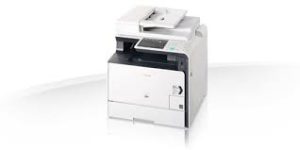
Canon imageCLASS MF8580Cdw Driver

Canon imageCLASS MF8580Cdw Printer Driver Download for Windows 11-10-8.1-8-7 (64bit)

imageCLASS MF8580Cdw MFDrivers (UFR II / PCL / FAX / ScanGear)

Canon imageCLASS MF8580Cdw MFP
Canon imageCLASS MF8580Cdw

If you cannot scan over a network or with a USB connection in Windows 10/Windows 8.1/Windows 8, install the MF driver, restart (not shut down) your PC, and then install the following program.

Canon imageCLASS MF8580Cdw Driver for Windows

i-SENSYS MF8580Cdw/MF8550Cdn/MF8540Cdn MFDrivers (UFR II / PCL / FAX / ScanGear)

File name: MF8500CMFDriverV420WPEN.exe
Language: English
Release date: 26 November, 2021
Language: English
Size: 157.01 MB
Operating systems: Windows 11- Windows 10 (64-bit)- Windows 8.1 (64-bit)- Windows 8 (64-bit)- Windows 7 (64-bit)- Windows Vista (64-bit)- Windows XP (64-bit)- Windows Server 2003 (x64)- Windows Server 2003 R2 (x64)- Windows Server 2008 (64-bit)- Windows Server 2008 R2 (64-bit)- Windows Server 2012 (64-bit)- Windows Server 2012 R2 (64-bit)- Windows Server 2016 (64-bit)- Windows Server 2019 (64-bit)- Windows Server 2022 (64-bit)

Download

Driver Version : UFR II Printer Driver – V20.85, PCL5e/5c/6 Printer Driver – V20.85, Fax Driver – V8.85 (MF8580Cdw/MF8550Cdn), ScanGear – V11.3

*Precaution When Using a USB Connection
Disconnect the USB cable that connects the device and computer before installing the driver.
Connect the USB cable after installing the driver.

Drivers and applications are compressed.
Download the file.

  • When clicking [Run] on the file download screen (file is not saved to disk)
  1. If the User Account Control prompt is displayed, click [Yes], and then click [Run] on the subsequent Security Alert screen.
  2. The Setup Wizard will start.
  3. After the Setup Wizard has started, follow the instructions on the screen to perform installation.
  • When clicking [Save] on the file download screen (file is saved to disk at specified location)
  1. Save the file to an apporopriate location, and then double-click the file (double-clicking the file will create a new folder in the same location).
  2. If the User Account Control prompt is displayed, click [Yes].
  3. The Setup Wizard will start.
  4. After the Setup Wizard has started, follow the instructions on the screen to perform installation.

Canon Pixma MX894 Driver

Download Canon Pixma MX894 Printers Driver for Microsoft Windows 10-8.1-8-7 32bit/64bit

MX890 series MP Driver (Windows)

Canon Pixma MX894

Canon Pixma MX894 Driver for Windows

IJ Network Tool is included in this MP Drivers. This file is a driver for Canon IJ multifunction printers.

Version: 1.03
File Name: mp68-win-mx890-1_03-ea24.exe
Post Date: February 5, 2016
Size: 29.11MB

Operating systems: Windows 10-Windows 10 (64-bit), Windows 8.1-Windows 8.1 (64-bit), Windows 8-Windows 8 (64-bit), Windows 7-Windows 7 (64-bit)

Download

Setup instruction

Download / Installation Procedures
1. Click the link, select [ Save ], specify “Save As”, then click [ Save ] to download the file.
Memo :
If you select [ Run ] ( or [ Open ] ) instead of [ Save ], the file will be automatically installed after it is saved.
2. The downloaded file will be saved in the specified place in the self-extracting form ( .exe format ).
3. Double-click the downloaded EXE file to decompress it, then installation will start automatically.

Canon PIXMA MX876 Printer Driver for MAC

Ver. 11.7.1.0b
Released: 9 Sep,2021
File name : mcpd-mac-mx870-11_7_1_0-ea17_2.dmg

Operating Systems: OS X El Capitan v10.11-OS X Yosemite v10.10-OS X Mavericks v10.9-OS X Mountain Lion v10.8.5-OS X Lion v10.7.5

Download

Size: 16MB