Canon i-SENSYS MF4320d Driver Download

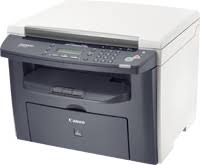
Canon i-SENSYS MF4320d Mono Lazer Printers

Canon i-SENSYS MF4320d Mono Lazer Printer

Driver-Software

File version: V2.30
File name: MF4320MFDriversV230W32ukEN.exe
Release date: 07 April 2016
Language: English

Operating Systems

Windows 10 (32-bit)
Windows 8.1 (32-bit)
Windows 8 (32-bit)
Windows 7 (32-bit)
Windows Vista (32-bit)
Windows XP (32-bit)

Download

File Size: 23.4 MB

Canon PIXMA E3170 Printer Driver

Download Canon PIXMA E3170 AIO Inkjet Printers Driver for Windows 11-10-8.1-7 (32bit-64bit)

E3100 series MP Drivers- E3100 series XPS Printer Driver for Microsoft Windows

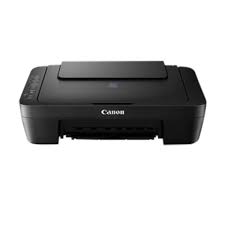
Canon PIXMA E3170 All-in-One Inkjet Printers

Canon PIXMA E3170 Printer Driver for Windows

Compatibility Systems: Windows 11, Windows 10 (32bit), 10 (64bit), Windows 8.1 (32bit), 8.1 (64bit), Windows 7 (32bit), 7 (64bit)

Driver NameVersionRelease dateFile SizeDownload Link
E3100 series MP Drivers1.0115 Oct, 202191600KBDownload
E3100 series XPS Printer Driver6.1015 Oct, 202140650KBDownload
Canon PIXMA E3170 Driver Description for Windows

E3100 series MP Drivers: This driver will provide full printing and scanning functionality for your product.

Canon imageCLASS MF264dw Driver Download

Canon imageCLASS MF264dw Driver for Windows 11-10-8.1-7 (64bit)

MF269dw II/ MF269dw VP II/ MF267dw II/ MF264dw II/ MF262dw II MFDrivers (Generic Plus UFR II / Generic Plus PCL6 / Generic FAX / ScanGear) for Microsoft Windows

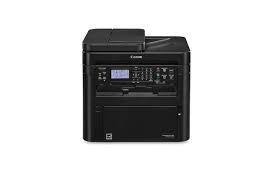
Canon imageCLASS MF264dw Laser Printers

Canon imageCLASS MF264dw Printer Driver for Windows

Driver NameVersionRelease dateFile SizeOperating systemsDownload Link
MF262dw II MFDriversV7.65Nov 29, 2022213 MBWindows 11 – Windows 10×64 – Windows 8.1×64 – Windows 7×64Download
Canon imageCLASS MF264dw Driver Description for Windows

Generic Plus UFR II Printer Driver – V2.65, Generic Plus PCL6 Printer Driver – V2.65 (MF269dw II/ MF269dw VP II/ MF267dw II/ MF264dw II), Generic FAX Driver – V10.50 (MF269dw II/ MF269dw VP II/ MF267dw II), ScanGear

SETUP

1. If the User Account Control prompt is displayed, click [Yes], and then click [Run] on the subsequent Security Alert screen.
2. The Setup Wizard will start.
3. After the Setup Wizard has started, follow the instructions on the screen to perform installation.

Exit mobile version