
Canon i-SENSYS MF445dw Printer Driver Download for Windows 11, 10, 8.1, 7 (32bit-64bit)
Generic Plus PCL6 Printer Driver and MF449x/MF446x/MF445dw/MF443dw MFDrivers
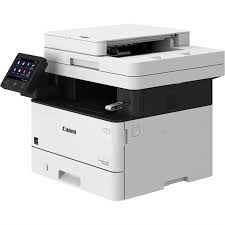
Canon i-SENSYS MF445dw Driver for Windows
Compatibility Systems: Windows 11, Windows 10 (32bit), 10 (64bit), Windows 8.1 (32bit), 8.1 (64bit), Windows 7 (32bit), 7 (64bit)
| Driver Name | Version | Release date | File Size | Download Link |
| Generic Plus PCL6 Printer Driver | V2.60 | 30 June, 2022 | 58.1 MB | Download |
| MF449x/MF446x/MF445dw/MF443dw MFDrivers | V6.604 | 24 Mar,22 | 308MB | Download |
Generic Plus PCL6 Printer Driver: This is a package-aware driver. Some limitations exist when using this driver in a point-and-print environment; please check the [Important Information] tab before using.
The Canon-developed Generic Plus PCL6 Printer Driver is a common driver that supports multiple Canon devices. It provides an optimal user interface for your device.
MF449x/MF446x/MF445dw/MF443dw MFDrivers (Generic Plus UFR II / Generic Plus PCL6 / Generic Plus PS3 / Generic FAX / ScanGear): Driver Version : Generic Plus UFR II Printer Driver – V2.00, Generic Plus PCL6 Printer Driver – V2.00, Generic Plus PS3 Printer Driver – V2.00, Generic FAX Driver – V10.35 (MF449x/MF445dw), ScanGear – V11.3
*Precaution When Using a USB Connection
Disconnect the USB cable that connects the device and computer before installing the driver. Connect the USB cable after installing the driver. Drivers and applications are compressed.