
Canon PIXMA TS7790 Printer Driver Download for Windows 11-10-8.1-7 (32bit-64bit)
TS7700 series MP Drivers for Microsoft Windows
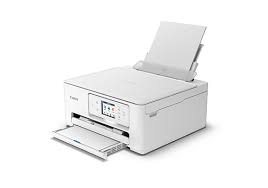
Canon PIXMA TS7790 printer, like other pixma series printers, is suitable for home and small offices. If you have your own small office, if you are a writer, you write novels at home. Or if you are a teacher, you make scientific preparations for your students. Or if you are a parent, you decorate the walls with family photos. This machine will be useful for you.
The maximum print resolution of the printer: 1,200 (horizontal) *1 x 1,200 (vertical) dpi. It can print 15/10 images per minute (monochrome/color), 5.5 images per minute (color).
Also, if you want to print photos, it can print 4 x 6 inches (PP-201/Borderless) in 19 seconds.
Supports AirPrint, Mopria, Canon Print Service (Android), Direct Wireless, Cloud Service.
Canon PIXMA TS7790 Driver Download for Windows
Compatibility Systems: Windows 11, Windows 10 (32bit), 10 (64bit), Windows 8.1 (32bit), 8.1 (64bit), Windows 7 (32bit), 7 (64bit)
| Driver Name | Version | Release date | File Size | Download Link |
| TS7770 MP Drivers | 1.02 | 09-Oct-2024 | 97.26 MB | Download |
TS7700 series MP Drivers: This driver will provide full printing and scanning functionality for your product.
Download / Installation Procedures
- Download the file. For the location where the file is saved, check the computer settings.
- Double-click the downloaded EXE file to decompress it, then installation will start automatically.
*** A message may be displayed during the installation depending on the OS you are using, but continue the installation.