
Download Canon PIXMA iX6800 Driver for Windows 11-10-8.1-8-7 (32bit)(64bit)
Pixma iX6800 series Full Driver & Software Package for Microsoft Windows
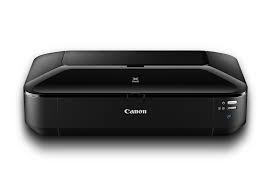
This printer produces prints with very high clarity, sharpness and bright colours. Additionally, it prints pages quickly so you can get your printouts right away. The Pixma iX6800 has wireless connectivity features. It also works with mobile devices and allows you to print with the help of a handy app. This printer is a flexible tool. It supports various paper types and can print documents up to A3 size. Users can print using it to meet their needs.
Canon PIXMA iX6800 Printer Driver for Windows
Compatibility Systems: Windows 11, Windows 10 (32bit), 10 (64bit), Windows 8.1 (32bit), 8.1 (64bit), Windows 8 (32bit), 8 (64bit), Windows 7 (32bit), 7 (64bit
| Driver Name | Version | Release date | File Size | Download Link |
| iX6800 series Full Driver & Software Package | 1.1 | Feb 28, 2022 | 52 MB | Download |
iX6800 series Full Driver & Software Package: This file will download and install the drivers, application or manual you need to set up the full functionality of your product.
Setup
Download / Installation Procedures
- Click the link, select [ Save ], specify “Save As”, then click [ Save ] to download the file.
Memo :
If you select [ Run ] ( or [ Open ] ) instead of [ Save ], the file will be automatically installed after it is saved. - The downloaded file will be saved in the specified place in the self-extracting form ( .exe format ).
- Double-click the downloaded EXE file to decompress it, then installation will start automatically