
Canon PIXMA G1230 MegaTank Inkjet Printers Driver for Windows 11-10-8.1-7 (32bit-64bit)
G1030 series Printer Driver for Microsoft Windows
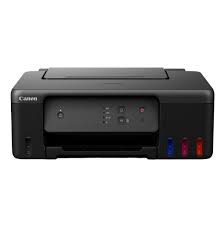
It has Integrated Ink Tanks and can print 6,000 pages BW / 7,700 pages (including Color). The Canon PIXMA G1230 MegaTank Color Inkjet Printer is an easy-to-use printer ideal for the home and small office. It has a rear paper tray that supports a variety of paper types up to 8.5 x 14″ legal and labels, envelopes, cards and other media. The tray holds 100 sheets of plain paper or 20 sheets of 4 x 6″. The printer offers single-sided prints up to 4800 x 1200 dpi, and you can print borderless photos in a variety of sizes up to 8.5 x 11″ letter size.
Canon PIXMA G1230 Printer Driver for Windows
Compatibility Systems: Windows 11, Windows 10 (32bit), 10 (64bit), Windows 8.1 (32bit), 8.1 (64bit), Windows 7 (32bit), 7 (64bit)
| Driver Name | Version | Release date | File Size | Download Link |
| G1000 series Printer Driver | 2.91 | 15-Oct-2021 | 12.92 MB | Download |
| G1000 series Full Driver & Software Package | 1.1 | 11-Nov-2016 | 48.05 MB | Download |
G1030 series Printer Driver: This driver will provide full printing and scanning functionality for your product.
Download / Installation Procedures
- Download the file. For the location where the file is saved, check the computer settings.
- Double-click the downloaded EXE file to decompress it, then installation will start automatically.
Uninstall Procedures
If needed, you can uninstall this program using the Control Panel.
Note :
The steps below are for Windows 7. This procedure may be different for other OSes.
- On the Start menu, click Control Panel, and then, under Programs click Uninstall a Program.
- A page will open with a list of installed programs. Double click on the program that you want to uninstall.
- Click “Yes” then “OK”, this will complete the uninstallation process.