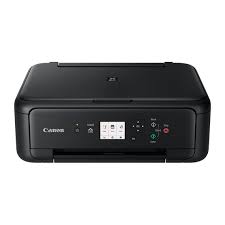
Canon PIXMA TS8140 Driver

Canon PIXMA TS8140 Driver Printer for Windows 11-10-8.1-7 (32bit)(64bit)

Pixma TS8100 series MP Drivers, TS8100 series XPS Printer Driver (Windows)

Canon PIXMA TS8140 Driver
Canon PIXMA TS8140

Canon PIXMA TS8140 Driver for Windows

Compatibility Systems: Windows 11, Windows 10 (32bit), Windows 10 (64bit), Windows 8.1 (32bit), Windows 8.1 (64bit), Windows 7 (32bit), Windows 7 (64bit)

Driver NameVersionRelease dateFile SizeDownload Link
TS8100 series MP Drivers1.0210.04.2191.7 MBDownload
TS8100 series XPS Printer Driver6.10a10.04.2141.4 MBDownload
Canon PIXMA TS8140 Driver Description for Windows

TS8100 series MP Drivers

This driver will provide full printing and scanning functionality for your product.

Download / Installation Procedures

1. Download the file. For the location where the file is saved, check the computer settings.
2. Double-click the downloaded EXE file to decompress it, then installation will start automatically.
Uninstall Procedures
If needed, you can uninstall this program using the Control Panel.
Note : The steps below are for Windows 7. This procedure may be different for other OSes.
1. On the Start menu, click Control Panel, and then, under Programs click Uninstall a Program
2. A page will open with a list of installed programs. Double click on the program that you want to uninstall.
3. Click “Yes” then “OK”, this will complete the uninstallation process.

TS8100 series XPS Printer Driver

This is an optional printer driver allowing 16-bits per colour (bpc) print

Download / Installation Procedures

1. Download the file. For the location where the file is saved, check the computer settings.
2. Double-click the downloaded EXE file to decompress it, then installation will start automatically.

CANON i-SENSYS MF226dn Driver

CANON i-SENSYS MF226dn

i-SENSYS MF229dw/MF226dn MF Drivers (UFR II / FAX / ScanGear)

Driver-Software

File version: V21.20
File name: MF220MFDriverV2120W32ukEN.exe
Release date: 11 November 2015
Language: English

Operating Systems

Windows 10 (32-bit)
Windows 8.1 (32-bit)
Windows 8 (32-bit)
Windows 7 (32-bit)
Windows Vista (32-bit)
Windows XP (32-bit)

Download

File Size: 42.06MB

Canon imageRUNNER ADVANCE 400i Driver

Canon imageRUNNER ADVANCE 400i Printers Driver for Windows 10

Generic Plus PCL6 Printer Driver, Generic Plus UFR II Printer Driver for Windows

Generic Plus PCL6 Printer Driver for Windows

This is a V4 printer driver which is optimised for Windows Store applications.

Version: V6.2
File name: GPlus_PCL6_Driver_V340_W32_00.exe
Release date: 17-Feb-2026
Operating Systems: Microsoft Windows 10 (32-bit)

Download

File Size: 34.11 MB

Generic Plus UFR II Printer Driver for Windows

This is a Canon-developed Generic Plus UFR II Printer Driver.
This is a generic printer driver that supports various Canon devices. You can use the same driver for all printer models by changing the settings for the printing port and device information.

Version: V3.40
File Name: GPlus_UFRII_Driver_V340_W32_00.exe
Released: 17-Feb-2026
Compatible Systems: Windows 10
Download
Size: 35.78 MB

Precaution When Using a USB Connection
Disconnect the USB cable that connects the device and computer before installing the driver.
Connect the USB cable after installing the driver.

Driver and application software files have been compressed.
The following instructions show you how to download the compressed files and decompress them.

Double-click the decompressed Setup.exe file to start installation.

To download files, click the file link, select [Save], and specify the directory where you want to save the file.The download will start automatically.

Downloaded files are saved in the specified folder in a self-extracting format (.exe format).

Double-click the files to decompress them. A new folder will be created in the same folder. The new folder will have the same name as the compressed file.