Windows 8.1 (32-bit)
Windows 8.1 (64-bit)
Windows 8 (64-bit)
Windows 8 (32-bit)
Windows 7 (32-bit)
Windows 7 (64-bit)
Windows Vista (32-bit)
Windows Vista (64-bit)
Windows XP (32-bit)
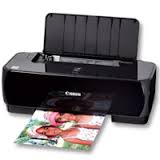
Download Canon PIXMA iP1800 Photo Inkjet Printers Driver for Windows (Windows 8.1 x64/8 x64/Vista x64)- (Win7-7×64) and Driver for MAC (OS X 10.5/10.6/10.7/10.8)
iP1800 series Printer Driver and Canon Inkjet Printer Driver Add-On Module for Microsoft Windows iP1800 series CUPS Printer Driver for MAC
iP1800 series Printer Driver: This file is a printer driver for Canon IJ printers.
Download / Installation Procedures 1. Click the link, select [ Save ], specify “Save As”, then click [ Save ] to download the file. Memo: If you select [ Run ] ( or [ Open ] ) instead of [ Save ], the file will be automatically installed after it is saved. 2. The downloaded file will be saved in the specified place in the self-extracting form ( .exe format ). 3. Double-click the downloaded EXE file to decompress it, then installation will start automatically.
Canon Inkjet Printer Driver Add-On Module: This product is a module that expands the functionality of the printer driver for Canon Inkjet printers as included in Windows 7.
Canon PIXMA iP1800 Printer Driver for MAC
Operating Systems: macOS X 10.8 (Mountain Lion)- Mac OS X 10.7 (Lion)- Mac OS X 10.6 (Snow Leopard)- Mac OS X 10.5 (Leopard)
Driver Name
Version
Release date
File Size
Operating systems
Download Link
iP1800 series CUPS Printer Driver
10.67.2.0a
1 Sep, 2017
11.0 MB
macOS 12, 11, 10.15, 10.14, 10.13, v10.12.1, OS X v10.11, OS X v10.10, OS X v10.9, OS X v10.8.5, OS X v10.7.5
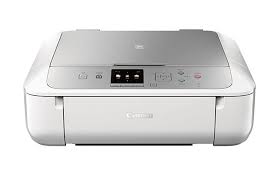
MG5700 series Full Driver & Software Package: This file will download and install the drivers, application or manual you need to set up the full functionality of your product.
Download / Installation Procedures 1. Download the file. For the location where the file is saved, check the computer settings. 2. Double-click the downloaded file and mount it on the Disk Image. 3. Double-click the mounted Disk Image. 4. Double-click the “Setup” file to launch the setup screen. By following the instructions on the screen, install the software and do the connection settings for your product.
MG5700 series CUPS Printer Driver: (Standard) This is a printer driver for your selected model. For an enhanced user experience we also recommend installing My Image Garden software.
Procedures for the download and installation
Download the file. For the location where the file is saved, check the computer settings.
Double-click the downloaded file and mount it on the Disk Image.
Double-click the mounted Disk Image.
Double-click the packaged file in the folder. Installation starts automatically.